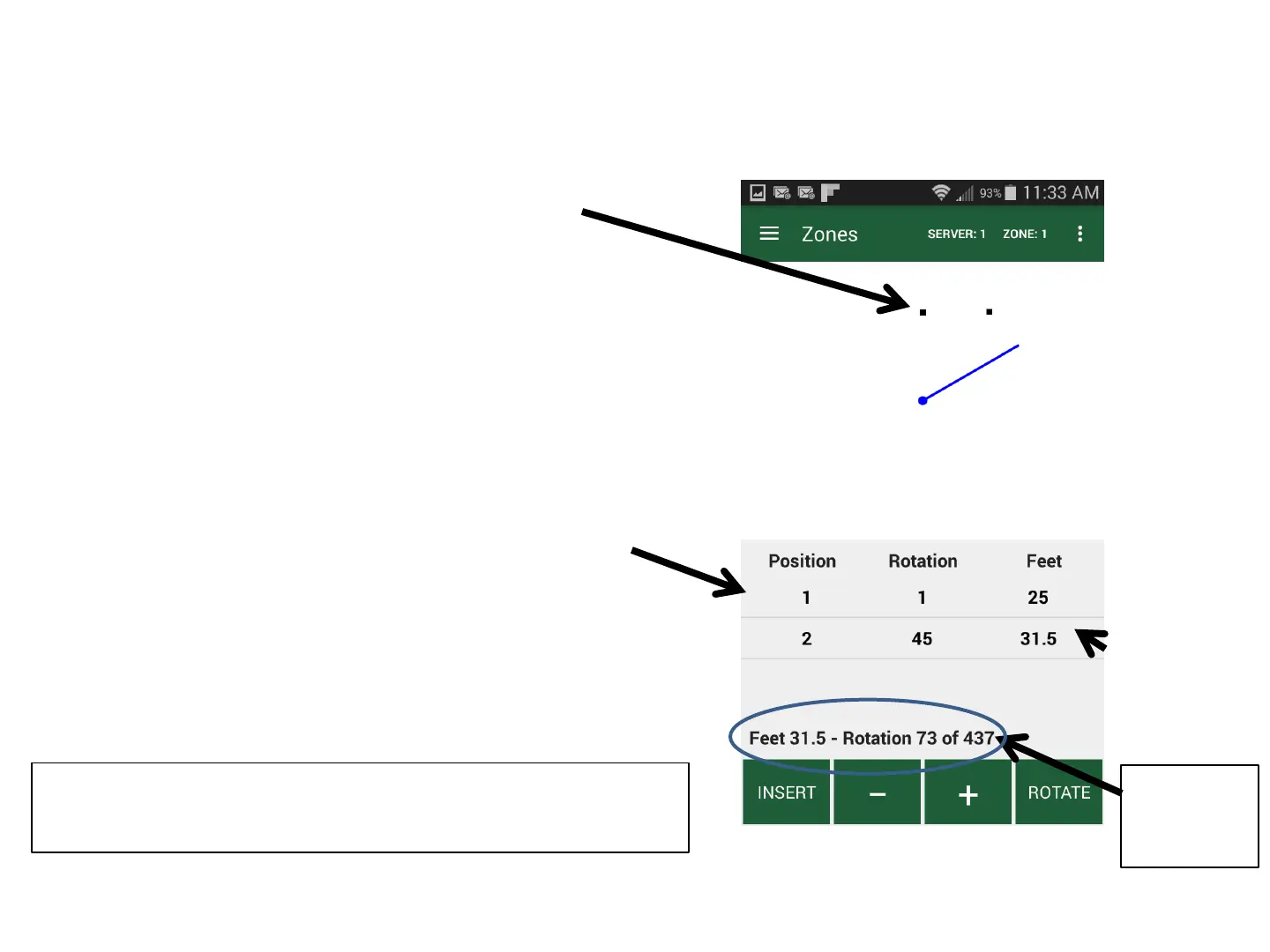
Zone Map & Position Table
System follows a straight line between inserted Positions
Positions appear on Zone Map
• To follow curves, insert points close together
• Head will drop and rotate to next Position if
two Positions are over 180 Degrees apart
• System automatically connects last point
saved to the first point
Each Position is also listed in the Position Table
Position values are: 1-50
Rotation positions are : 0-437
Distances: 5-30 feet
Approximate
distances
21
Current
Distance &
Rotation
Zone Maps are continuously saved by app, no
need to “save” the zone map



 To Next Page