• 5
XR72CX
1.0 PANNELLO DI CONTROLLO
CONTROL PANEL - TABLEAU DE COMMANDE
SCHALTTAFEL - PANEL DE CONTROL - BEDIENINGSPANEEL
dd
ixixix
eee
llllll
ddd
dd
dd
dd
ixixix
ixixix
ixixix
ixixix
eee
ee
ee
ee
llllll
llllll
llllll
llllll
lll
lll
lll
lll
SETSETSET
FFF
000
F 1XF F
1X1X
SETSET
SETSET
SETSET
LED
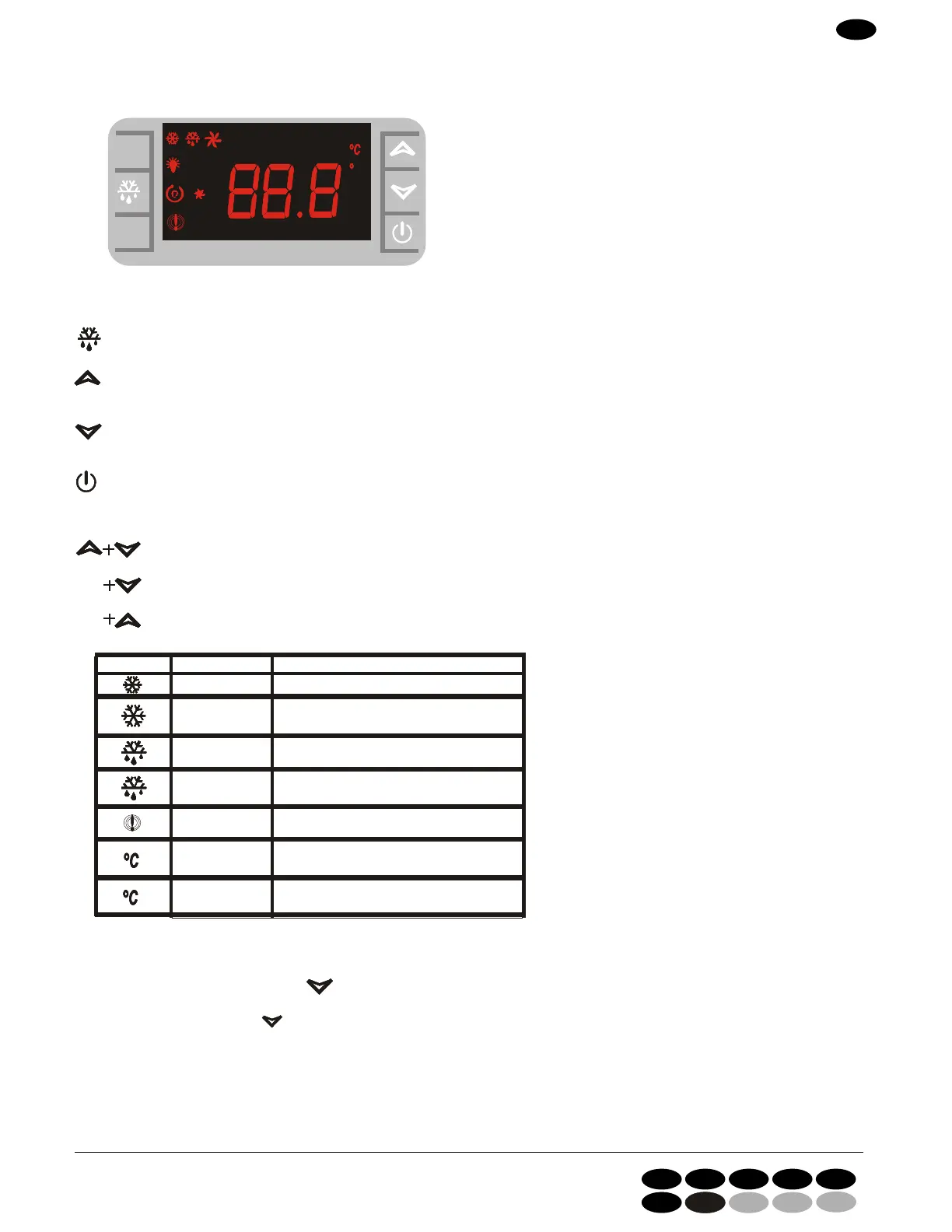
To display or change the set point. In programming, select a parameter or confirm a value.
(SBR) To start defrosting.
(SU) = up To see the data of a possible temperature alarm. In programming, it scrolls the parameters' codes or it
increases their values.
(GIU ) = down To see the data of a possible temperature alarm. In programming, it scrolls the parameters’ codes or it
decreases their values.
It turns the device on and off.
KEYS COMBINATIONS:
To lock and unlock keyboard.
To enter programming.
To leave programming.
MODE MEANING
On Compressor(s) active
Flashing Close leavings delayed.
On Defrost in progress
Flashing Dripping in progress
On Temperature alarm
On Measurement units
Flashing Programming
TO SEE MINIMUM TEMPERATURE
1. Push and release the button
2. Message displayed: “Lo” + the minimum temperature reached.
3. By pushing the button
or by waiting for 5 seconds the normal temperature will be displayed again.
GB
I GB F D E
NL
DK
4280 56751_1ac
KONTROLPANEL


 To Next Page