EN
71
SUPERCAPRI
428000925100
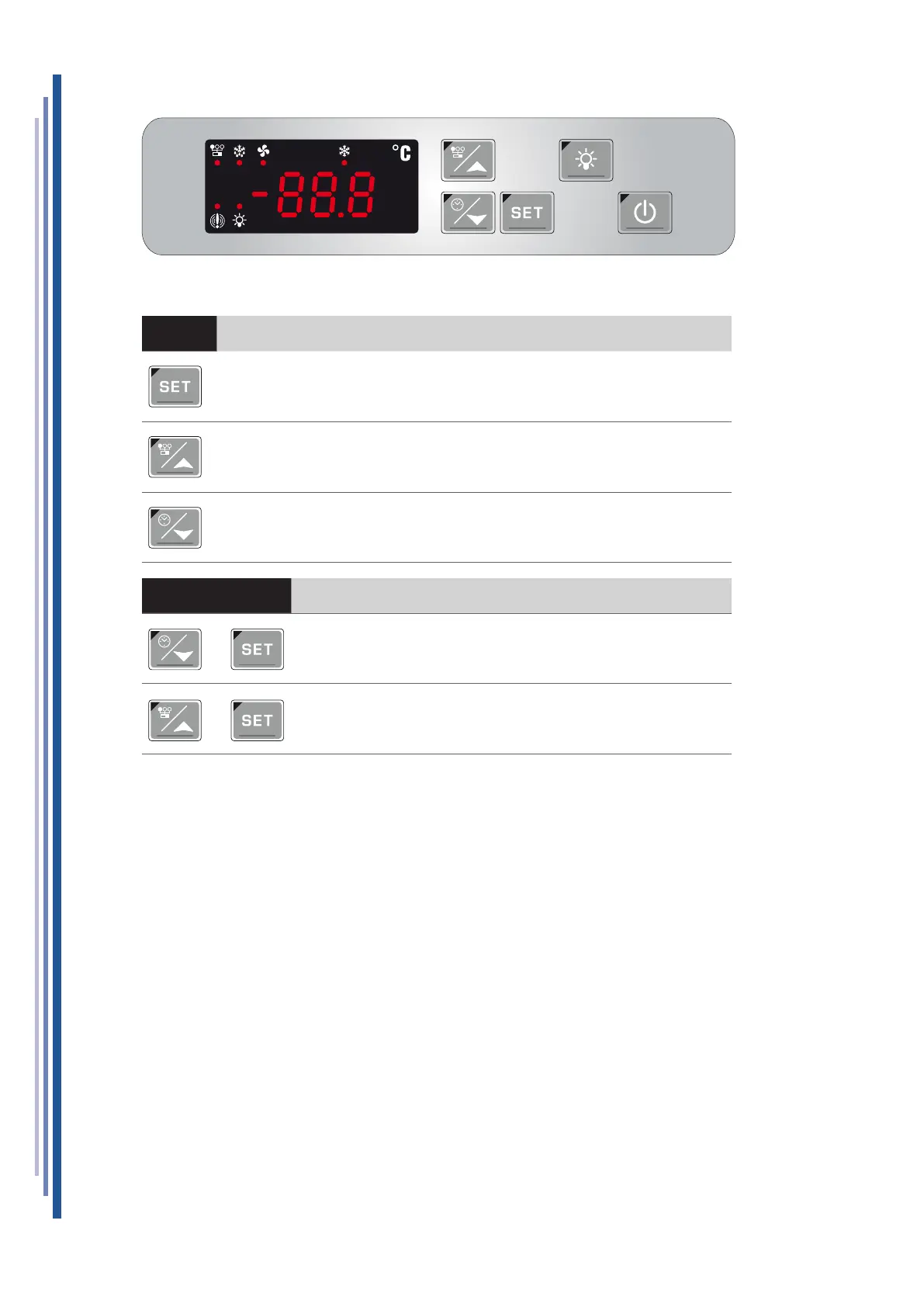
12.1 USER INTERFACE
BUTTON KEY SINGLE PRESSING
To display or edit the set point.
While programming, select a parameter or conrm a value.
If pressed for 3 seconds during the display of temperature Max or Min
it resets them.
To view the maximum temperature reached.
While programming, it scrolls through the parameter codes or increases their value.
To view the minimum temperature reached.
While programming, it scrolls through the parameter codes or decreases their value.
BUTTON COMBINED PRESSING
To enter the programming function.
To exit the programming function.
+
+


 To Next Page