11 of 30
3.3 Continuous cycle
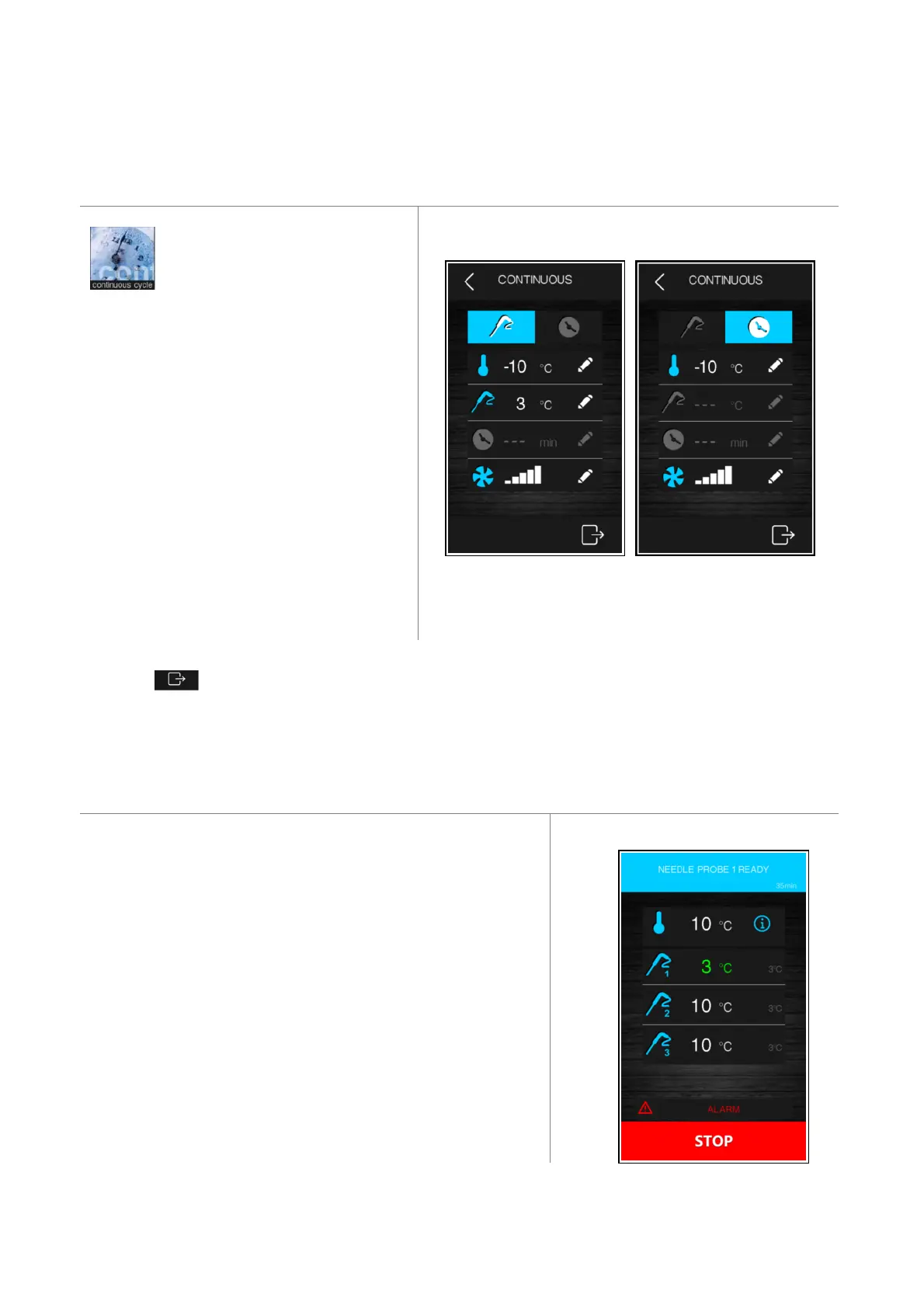
Pressing on this area enables
selection of a continuous cycle and it
can be run in multi needle probe
mode if a temperature controlled cycle has been
selected, or in multi-timer mode if a time
controlled cycle has been selected. If only a single
needle probe has been selected, only the multi-
timer mode can be used.
Once the cycle has been selected, a screen opens
up on which the cabinet temperature values and
fan speed can be set, as well as the product
temperature values (in the multineedle probe
cycle).
needle probe time control
Press the key to start up the cycle and this will only finish when all the needle probes have reached the set
temperature or all the timers have elapsed, after which the controller moves on automatically to the conservation
phase.
3.3.1 Multi needle probe mode
The continuous cycle using multineedle probes can be run provided the
parameter for the type of needle probe has been correctly set (P3=2).
The controller can manage up to three needle probes, using parameter
P9 to set these up.
While the cycle is in progress, each time the door is opened and closed
the controller checks that the various needle probes have been properly
inserted and the cycle is only terminated when all the probes inserted
have reached the desired temperature.
When each needle probe has reached the set temperature, the buzzer
sounds and the display indicates this, showing the temperature of the
probe in question in green. The diagram below shows an example of the
display when only one probe has reached the set temperature.


 To Next Page