13 of 30
The customized cycle starts up and activates the first phase, which by
default is a needle probe phase. It is possible to change the probe
phase to a time controlled phase and to set the relative set points.
To add any more phases press area , while to eliminate any
phase previously set in the program, press area . It is possible
to move between the various phases using the arrows at the top of
the screen.
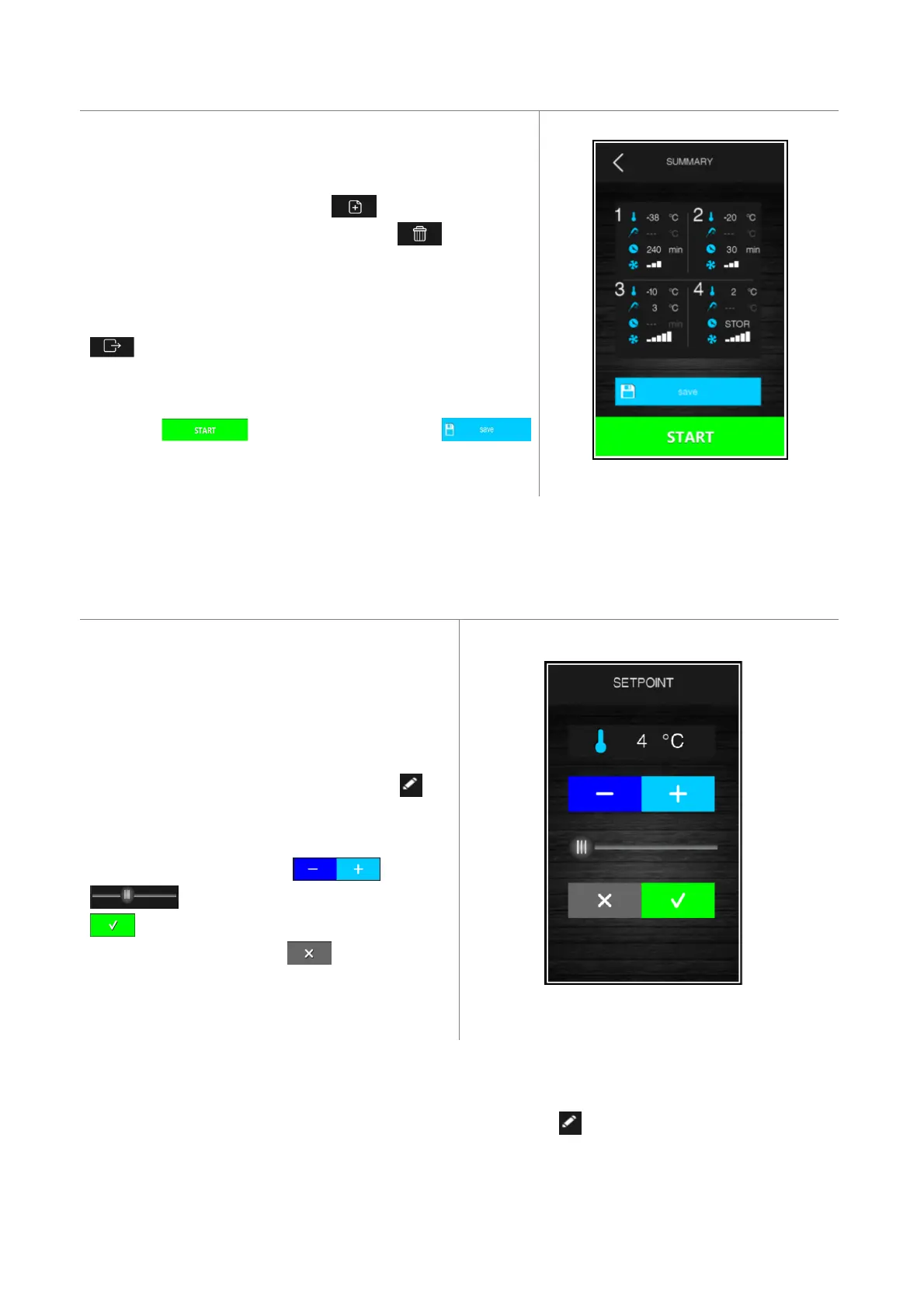
Once the desired phases have been selected and set up, press area
to confirm that the settings are complete and a summary
screen will be displayed.
Press area to start up the cycle or area
to save it in the recipe book.
3.5 Setting the set points
3.5.1 Setting the cabinet temperature set point
When selecting a continuous or customized blast chilling
or blast-freezing cycle, the pre-set cabinet temperature,
product temperature, time and fan speed values when
the parameters were set are loaded. These can be
modified by the user within the permitted range for the
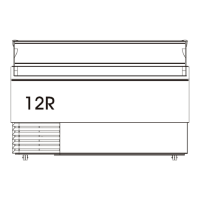
parameters. To make a modification press the key
and the screen shown below will appear.
Set the desired value using the key or the
key. Once set-up is complete press the
key to confirm the value and return to the
previous screen, or press the key to reload the
pre-set values and return to the previous screen.
3.5.2 Setting the product temperature set point
Proceed as described for the cabinet set point, after pressing area for the product temperature (or the
temperature indicated by the needle probe).


 To Next Page