24 of 30
5 RECIPE BOOK MODE
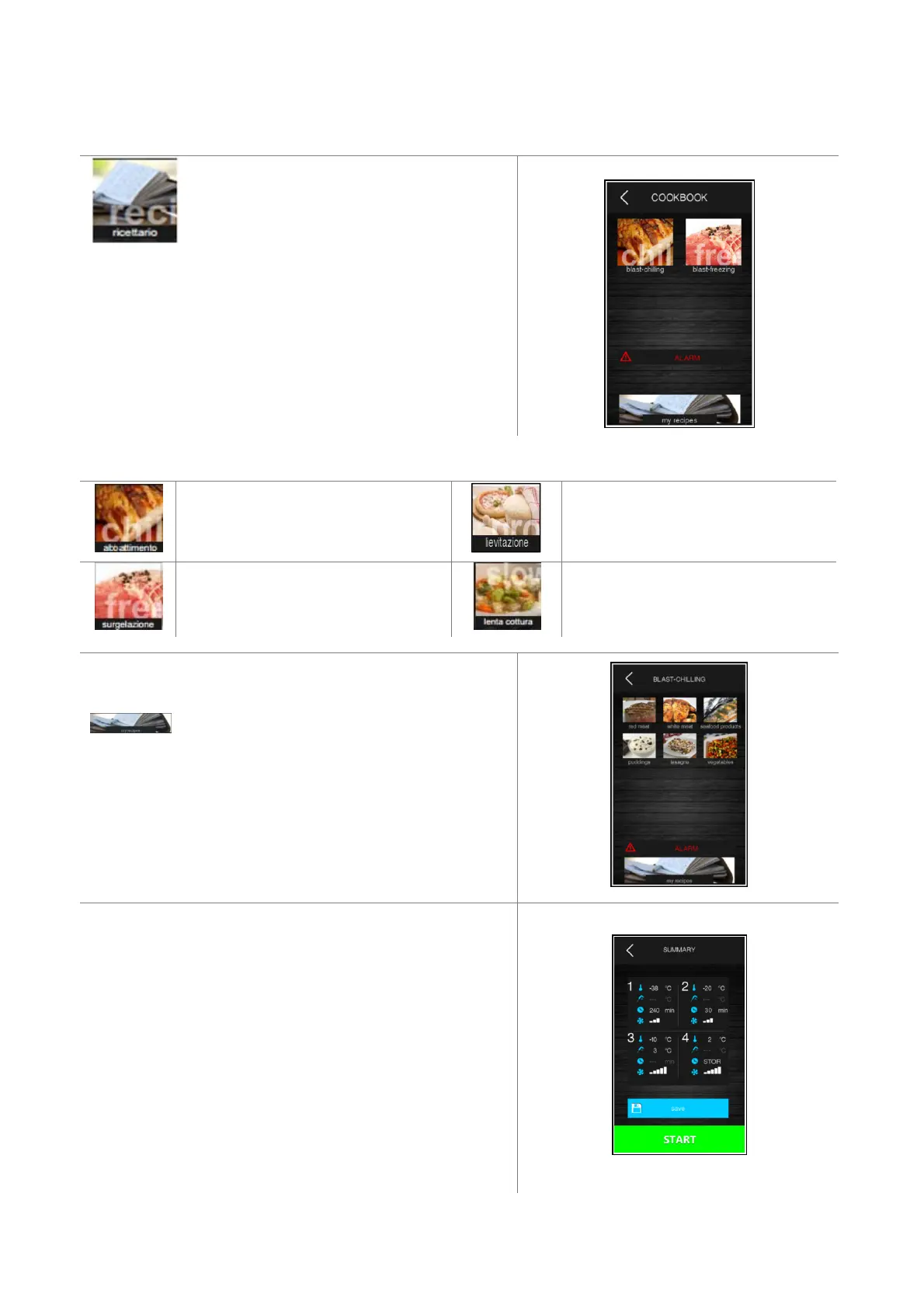
Pressing this area on the Home page opens the
following screen.
This screen grants access to a recipe book divided into four
categories: blast chilling, blast-freezing, proofing and slow
cooking. The icons representing the last two categories are only
displayed if the functions have been enabled using the relevant
parameters.
Chilling recipes.
PROOFING recipes.
Freezing recipes.
SLOW COOKING recipes.
An example of a blast chilling recipe book, showing the icons for
the 6 recipes pre-set by the manufacturer. Pressing area
enables selection of a further list of personalised
recipes saved by the user.
Pressing the relevant recipe area opens a summary screen
showing the settings for the various phases of the recipe.
The recipe can be started up from this screen, or the set points
can be modified by pressing the area relating to the phase. After
the settings have been modified, the following options are
available:
- start up the cycle without saving the changes
- save the changes and over-write the program
- save the changes under a different name


 To Next Page