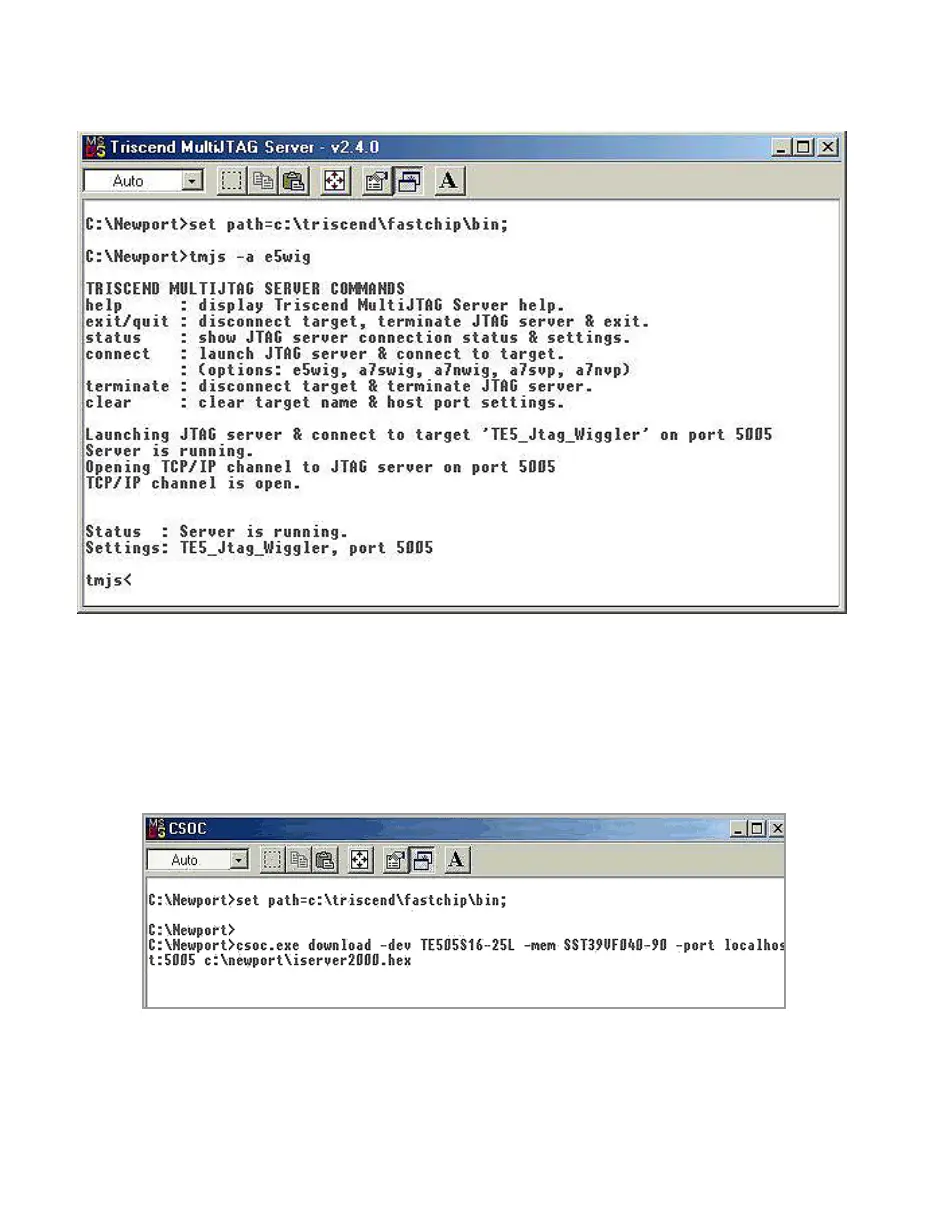
11. After your PC is back up, in C:\newport directory, double-click (execute) on link.bat
file. This will execute the file and will generate the following window.
Make sure that the "status" at the bottom of the window indicates that "server is
running". You can leave this window on the screen or you can minimize it and move
to the next step (DO NOT CLOSE THIS WINDOW).
12. Go back to C:\newport directory and double-click (execute) on iload.bat file. This will
execute the file and will generate the following window.
At this time, the installation program starts sending the new firmware called
iserver2000.hex into the iServer’s flash memory. This process takes about two
minutes.



 To Next Page