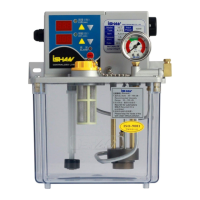
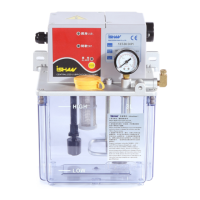
21 - 25
If no further action, the timer will restart after 5 seconds and run with new setting. The
lubrication indicator is light and intermittence indicator is dark during lubricating. On the
contrary, the intermittence indicator is light and lubrication indicator is dark at the interval.
3-4 RES button
Press RES button for two seconds, the lubrication unit will restart up and then run
default setting to deliver lubricant.
3-5 Operating mode setting
Warning !!
Only allow authorized person by iSHAN company to change default
setting. The user only can adjust time for lubrication or intermittence.
3-5.1 Display & Action instruction
Action
Indicator
light of LUB.
Indicator
light of INT.
Indicator
light of
Alarm
Alarm Motor
Monitor
unit
Cycle mode ON OFF OFF
ON
(Convey oil)
OFF
Time unit
0.1 second
Flashing
per 0.5 sec.
Flashing
per 0.5 sec.
OFF OFF
ON
(Convey oil)
OFF
Time unit
1 second
Flashing
per 1 sec.
Flashing
per 1 sec.
OFF OFF
ON
(Convey oil)
OFF
Time unit
1 minute
Flashing
per 2 sec.
Flashing
per 2 sec.
OFF OFF
ON
(Convey oil)
OFF
Time unit
1 hour
Flashing
per 5 sec.
Flashing
per 5 sec.
OFF OFF
ON
(Convey oil)
OFF
Setting time
unit
Flashing Flashing
OFF
Beep
OFF OFF
Time setting
Flashing Flashing
OFF
Beep
OFF OFF
No pressure
build-up
Flashing
per 0.5 sec.
OFF
Flashing
per 0.5 sec.
ON OFF ON
Insufficient
oil
OFF
Flashing
per 0.5 sec.
Flashing
per 0.5 sec.
ON OFF ON
Press RES
button
2 seconds /
ON
OFF OFF OFF
2 seconds / ON
OFF
3-6 Refilling lubricant
Always keep the lubricant level between HIGH mark and LOW mark. If the
lubricant level falls below LOW mark, the level switch will send an alarm signal and the
motor stops at the same time. Remove the cap (Fig. 3) and refill with new clean lubricant.



 To Next Page