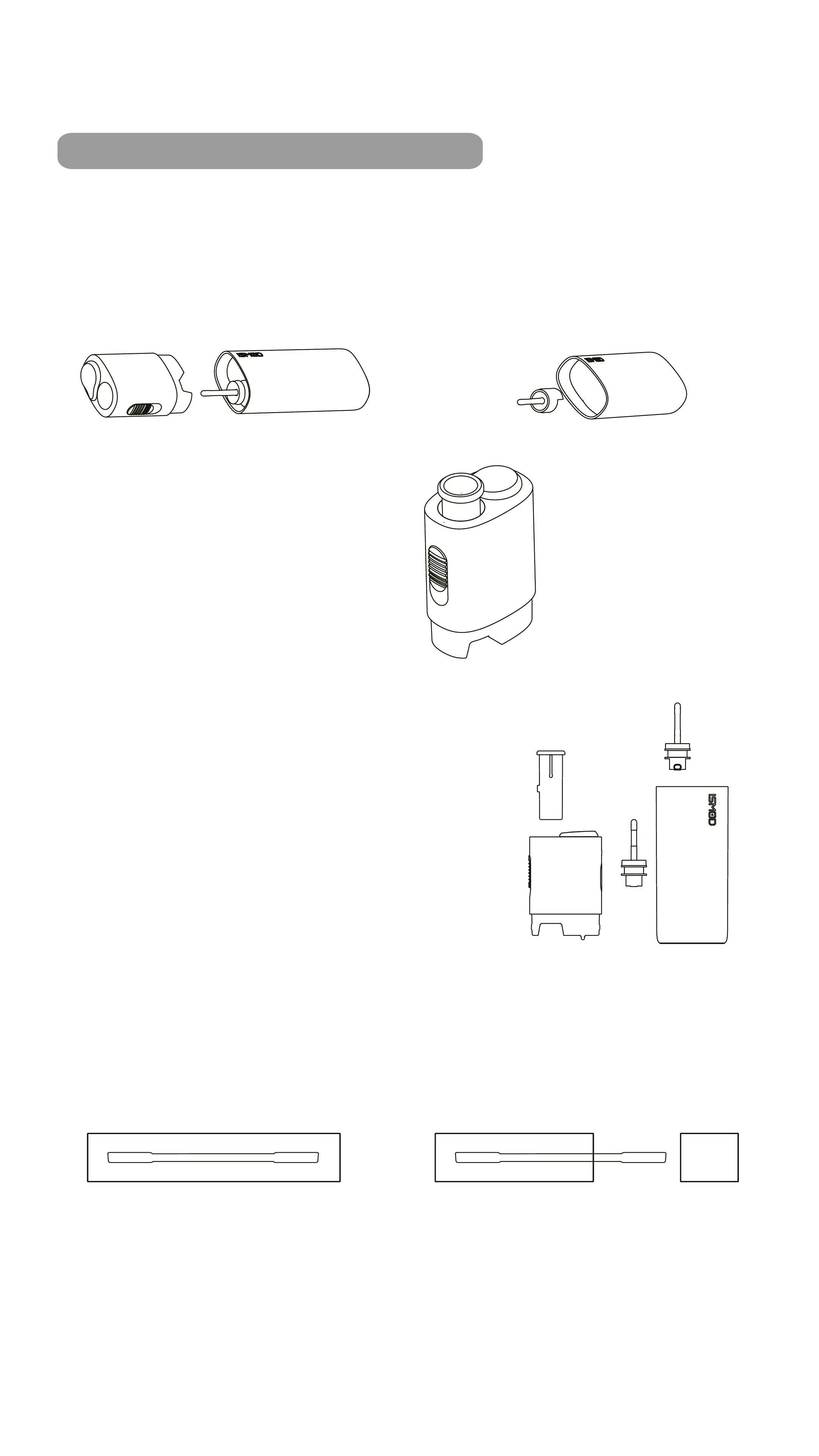
5. CLEANING THE HEATING CHAMBER
Make sure the device is switched o and cooled down
before cleaning.
(1) Detach the top cover from
the main body of the device
(2) Pull out the heater part
from the main body of
the device
(3) Pull the button up on
the holder for the
non-combustible tobacco
cartridge
(4) Pull out the parts (cartridge holder and heater),
then use the cleaning stick to clean the
heating chamber
How to use the cleaning sticks?
1.Take out a
cleaning stick
2. Remove the protective film
from the packaging and
remove the stick.



 To Next Page