12-
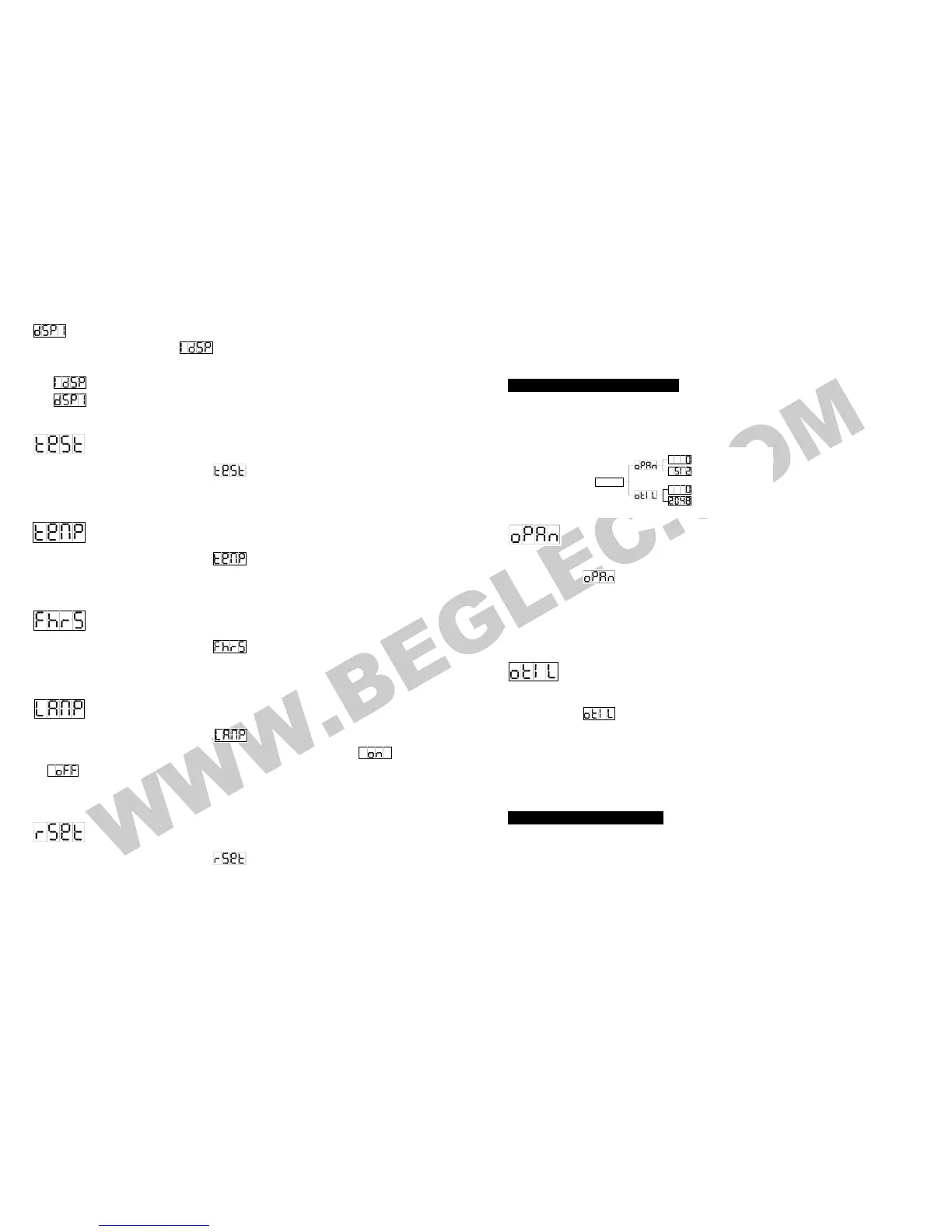
(display inversion), It will automatically store after 8 seconds. Or press the ENTER
button again return to the mode
(display normal). To go back to the functions press
the MENU button.
Display normal mode for the fixture putting on the floor.
Display inversion mode for the fixture fixing under ceiling.
Self-Test
Press the MENU button up to when the
is blinking on the display. Pressing ENTER
button and the unit will run self-test by built-in program. To go back to the functions press the
MENU button again.
Ambient temperature of lamp
Press the MENU button up to when the is blinking on the display. Pressing ENTER
button and the ambient temperature of lamp will show on the display. To go back to the
functions press the MENU button again.
Fixture Hours
Press the MENU button up to when the
is blinking on the display. Pressing ENTER
button and the display will show the number of working hours of the unit. To go back to the
functions press the MENU button again.
Lamp Display
Press the MENU button up to when the
is blinking on the display. Pressing ENTER
button and the display will blink. Use DOWN and UP button to select the
(Lamp on)
or (Lamp off) mode. Once the mode has been selected, press the ENTER button to
setup or automatically return to the main functions without any change after 8 seconds. To
go back to the functions without any change press the MENU button again.
Reset
Press the MENU button up to when the
is blinking on the display. Pressing ENTER
button and all channels of the unit will return to their standard position. To go back to the
functions press the MENU button again.
DMX RESET :
13-
Set DMX value of channel 8 and channel 16 to 255, then all channels of the unit will return to
their standard home position.
4.3 Home Postion Adjustment
Press MENU button for at least 5 seconds into offset mode to adjust the home position, the
functions are shown below:
MENU
Pan offset(0~512)
Tilt offset(0~2048)
Pan offset
Press the MENU button for at least 5 seconds into offset mode, use DOWN and UP button
up to when the
is shown on the display. Pressing ENTER button and the display
will blink. Use DOWN and UP button to adjust the pan home position. Once the position has
been selected, press the ENTER button to setup or automatically return to the offset
functions without any change press the MENU button again, To go back to the main
functions without any change after 8 seconds.
Tilt offset
Press the MENU button for at least 5 seconds into offset mode, use DOWN and UP button
up to when the
is shown on the display. Pressing ENTER button and the display
will blink. Use DOWN and UP button to adjust the tilt home position. Once the position has
been selected, press the ENTER button to setup or automatically return to the offset
functions without any change press the MENU button again, To go back to the main
functions without any change after 8 seconds.
5. How To Control The Unit
You can operate the unit in three ways:
1. By master/slave built-in preprogram function
2. By easy controller
3. By IL-0824 ( please refer to the user guide of iLead controller ) or universal DMX



 To Next Page