7.2.1.1
Setting up the Reference Probe
To use the Automatic Cal/Adjust the calibration constants from your reference probe must be entered into the
PLTC-782 because the HP 3458A does not display in temperature values. The PLTC-782 will read the
resistance from the DMM and convert it to temperature internally via the calibration factors.
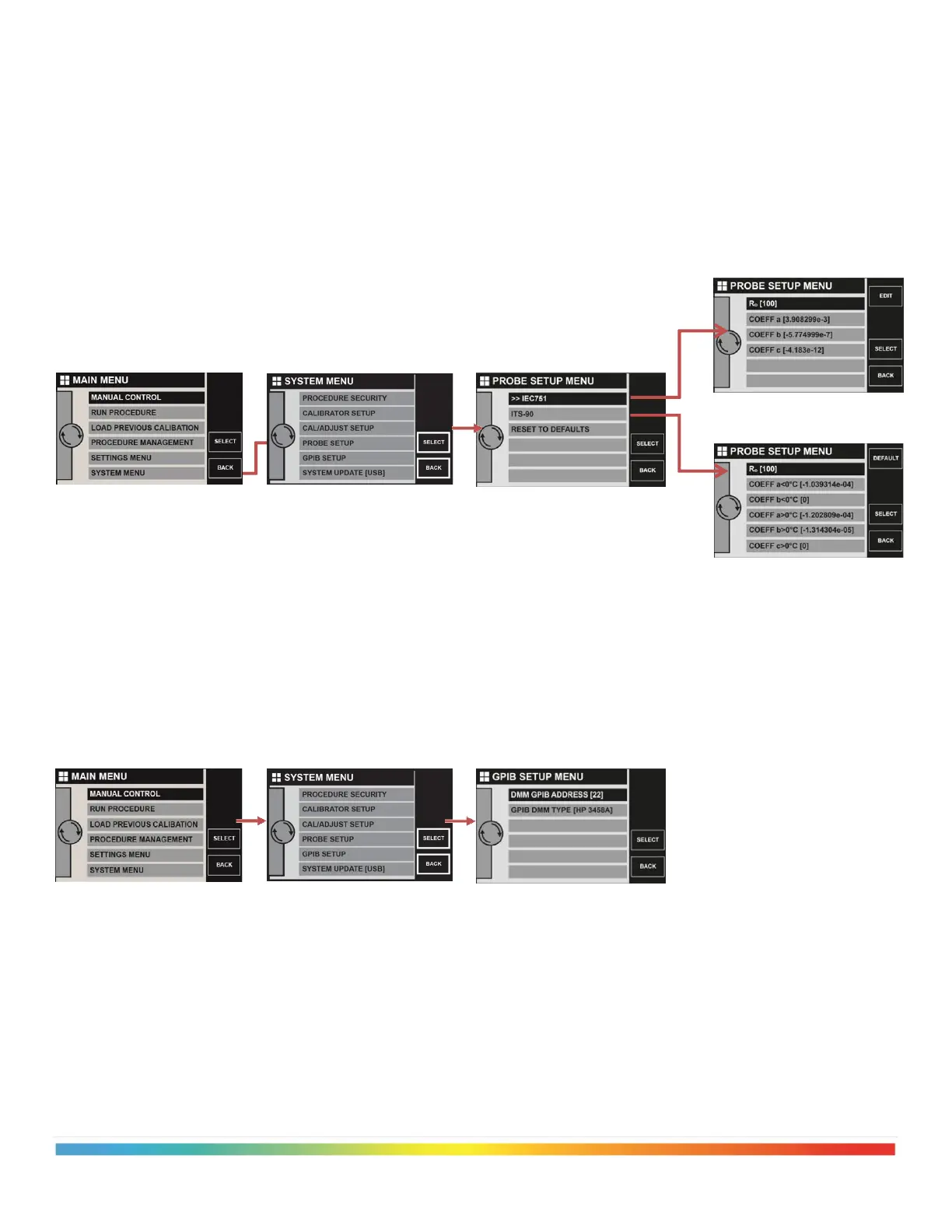
To enter the calibration data from your reference probe, enter the [PROBE SETUP] menu as shown below.
Select the type of coefficient data you have from your calibration certificate and enter the constants.
7.2.1.2
Set the DMM type and GPIB address
Enter the [GPIB SETUP] menu via the [SYSTEM MENU] as shown below. Select which DMM you have
connected and set the GPIB address.



 To Next Page