4
Battery Capacity status: When headphone connects to iOS devices, iOS devices show
the headphone battery power status on the upper right corner.
Charging: New headphone has enough power for pairing and dialing out for several
times. When in low battery, please charging via USB cable for 2 hours. Red LED keep
lighting during charging, blue LED keep lighting charging finished.
Reset Mode: Connect the headphone to computer via Micro USB cable. When red LED
light flashes, headphone reset finished.
5, Pairing
Pairing with one phone or other device
Make sure the headphone is power off.
Press and hold the multifunctional button for 5 seconds to enter into the pairing mode.
Red LED & Blue LED flashes alternately, Activate your phone or device Bluetooth function
and search for headphone. From the list of found devices on your mobile phone , select
the headphone “ISOtunes PRO” to connect it. Follow the instruction to enter “0000” as PIN
if the mobile phone
reminder
to need. Headphone or device can be used to play your
phone music or dial phone call etc.
6, Sound quality with aptx® code
Featuring the apt-X codec, the headsets can connect wirelessly to any aptX
®
enabled
devices, vastly improves the quality of Bluetooth streaming, delivering CD-quality sound.
Kit Contents
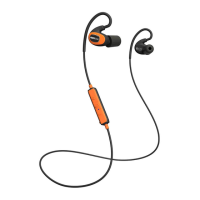
1, 1 X Stereo Bluetooth headphone ISOtunes PRO
2, 1 X Charging Micro USB Cable
3, 1 X User Manual
Warning
1, You must choose a qualified charger from a regular manufacturer to charge the
headphone.
2, You must charge the headphone if it has not been used for more than 12 months.
Do not dispose of the battery in fire, as it may cause explosion.


 To Next Page