8
Unlocking with the Admin PIN
1. Press and hold the SHIFT ( )
button for one second.
The RED LED will become solid.
2. In Standby State (solid RED LED) press
the KEY ( ) button once.
GREEN and BLUE LEDs blink together.
3. Enter your Admin PIN and press the
KEY ( ) button again.
GREEN LED will blink indicating the
drive has been successfully unlocked
as Admin and is ready for use.
Your datAshur SD can be easily congured
with a host of additional security features. For
detailed instructions please download the user
manual published on our website https://is-
torage-uk.com/datashur-sd-manual
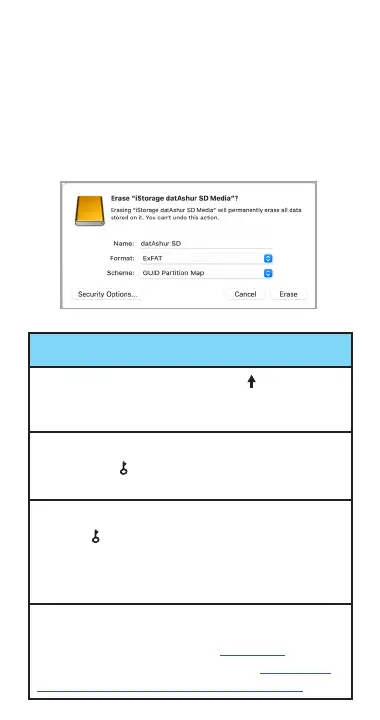
image 3
3. Please choose the following settings
(image 3):
• Name the media. For example “datAshur
SD” (maximum 11 characters).
• Format: ExFAT/ FAT32
• Scheme: GUID Partition Map
• and press “Erase”.















 To Next Page