
 Need help?
Do you have a question about the iStorage diskGenie and is the answer not in the manual?
Step-by-step guide for connecting the iStorage diskGenie drive to a computer.
Instructions for connecting the drive using a USB Y-cable when a single port is insufficient.
Details how to use the iStorage diskGenie for the first time, including mode entry.
Explains the procedure for recovering a forgotten User Password.
Step-by-step instructions to access the drive in User Mode using a password.
Steps to access the drive's Admin Mode using the default or current password.
Guide on how to change the administrator password for the iStorage diskGenie.
Instructions for creating a new user password for the drive.
 General
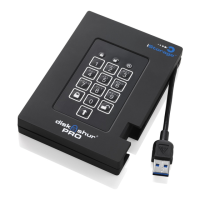
| Encryption | AES-XTS 256-bit hardware encryption |
|---|---|
| Material | Aluminum |
| Storage Temperature | -20°C to 60°C |
| Authentication | PIN code |
| Compliance | FIPS 140-2 Level 3 |
| Operating System Compatibility | Windows, macOS, Linux |
| Operating Temperature | 0°C to 40°C |
| Capacity | 1TB, 2TB, 3TB, 4TB, 5TB |













 To Next Page