2.
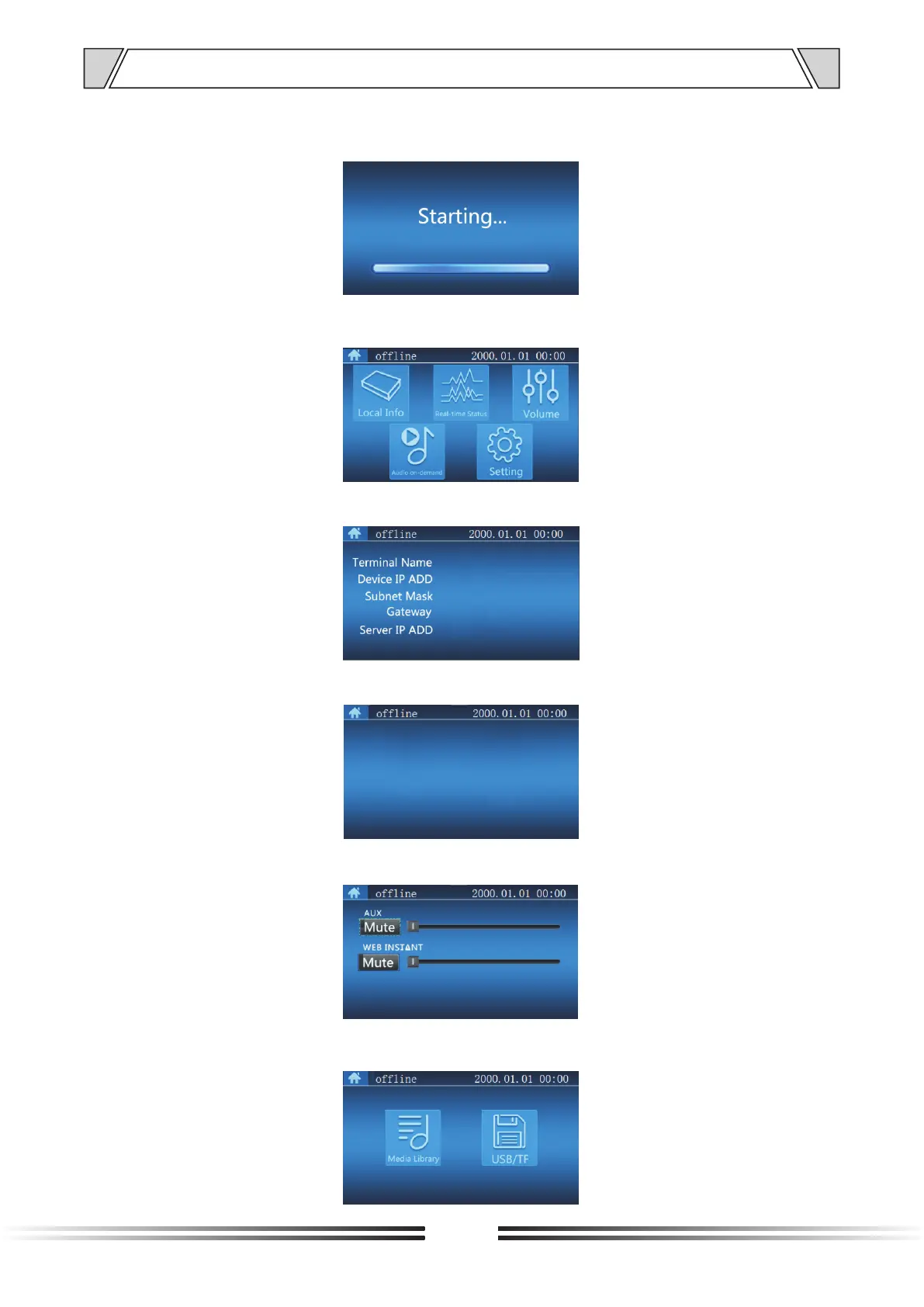
1) Power-on at the normal status,the display is shown as below:
The Screen Operation
6. DISPLAY SCREEN OPERATION INTRODUCTION
10
2) After the startup,wait for a while, and press the “MENU” button on the remote control to
enter the menu interface. The display screen is shown as below:
3)
In the menu interface, use the direction button of the control unit, to select and check the
real-time status of the current terminal, shown as below:
In the menu interface, use the direction button of the control unit, to select and confirm the
volume control interface of terminal, shown as below:
In the menu interface, use the direction button of the remote control to select and enter the
broadcasting interface of the terminal, shown as below:
In the menu interface, press the number buttons on the panel of "1" to enter to view the IP address of
the machine interface as belows:
4)
5)
6)



 To Next Page