3 USE
3.1 Control panel
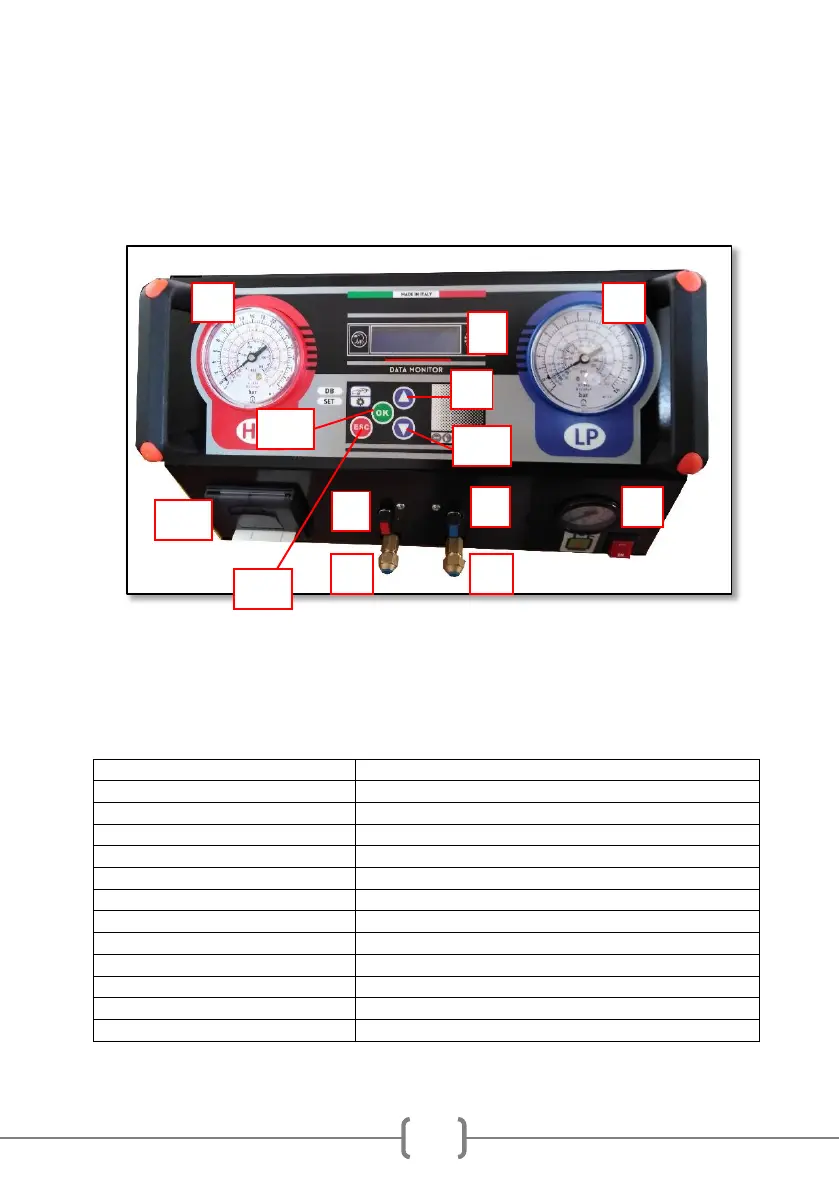
Figure 2 (elements position may vary depending on the station model)
Control panel includes the following elements (Figure 2):
for A/C system check and diagnosis
for A/C system and vacuum check and diagnosis
for gas tank pressure check
opens/closes high pressure (red)
opens/closes low pressure (blue)
6 - High pressure coupling:
connects station to car A/C system via red tube
7 - Low pressure coupling:
connects station to car A/C system via blue tube
shows station info and allows to operate
prints result of recharging operations



 To Next Page