Front Panel Continued
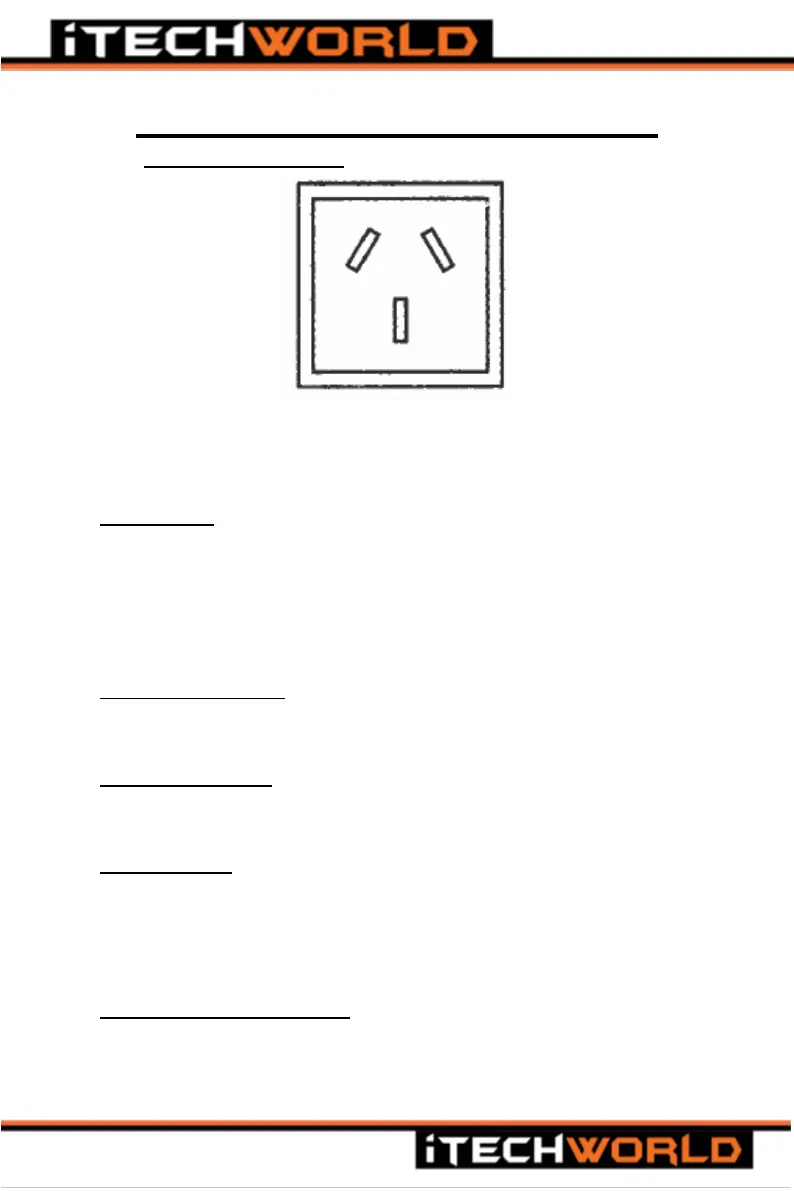
A. AC Output Receptacle
Figure 3- Standard 10A 240VAC Australia / New Zealand receptacle
For connecting 240VAC appliances to the inverter
B. Main Switch
The main switch is used for turning ON or OFF the output of the
inverter.
With the switch in the ON position, the Power indicator LED(C) will
glow green, and a single beep will be emitted to indicate 240VAC is
being produced.
C. Power LED indicator
Illuminates green to show that the inverter is outputting 240VAC
power.
D. Fault LED indicator
Will illuminate/flash red when a fault is detected, the 240VAC output
will be turned off. Please refer to the troubleshooting section.
E. 5V USB Socket
USB socket is for charging/powering 5V USB devices, such as mobile
phones. When the inverter is connected to a battery, the 5V USB port
will continuously output power, regardless of whether the Main
Switch(A) is in the ON or OFF position.
F. Remote Control Port (RJ11)
The remote-control port is for connecting the optional remote-control
panel (sold separately).


 To Next Page