Installation
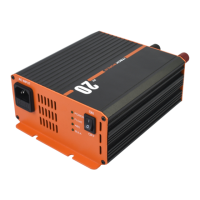
Mounting the charger
If permanently mounting the battery charger, the location where it is mounted must be:
• Dry: Do not allow any liquids to drip or splash onto the unit
• Cool: Do not install in direct sunlight or close to any heat sources, the ideal ambient air
temperature is between 15°C to 25°C.
• Ventilated: Allow at least 60mm of clearance around the charger to allow for adequate
air flow, and make sure that the cooling fan and ventilation slots are not obstructed.
• Clean: Do not install the charger in a dusty environment, as the charger contains a
cooling fan, any dust present will be sucked into the charger which may damage or
shorten the lifespan of the charger.
• Close to batteries: Avoid excessive cable lengths as this will cause voltage drop and may
cause problems with charging your batteries.
Note: If the charger is to be mounted on a hard surface (such as metal or wood board) please ensure
some antivibration mounts are used between the charger and the mounting surface.


 To Next Page