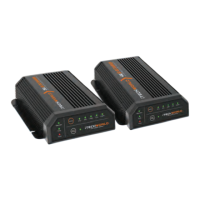
Product Function
Unit Operation
1. Make sure that the Main Switch on the front panel is in the OFF position, and the 240V AC
supply is disconnected.
2. Connect the DC output to the battery requiring charge, pay close attention to the polarity
when connecting the charger to the battery (RED to Battery +, BLACK to Battery -), as reverse
polarity may cause damage to the charger.
3. Connect the AC power cable to the AC input socket and turn on the 240V AC supply.
4. Turn the Main Switch on the front panel to the ON position, the battery charger will now begin
to charge the connected battery.
5. When done charging the battery, turn the Main Switch on the front panel to the OFF position,
unplug the AC power cable.
6. Remove the charging cables from the battery.
Multi-Stage Charging Algorithm
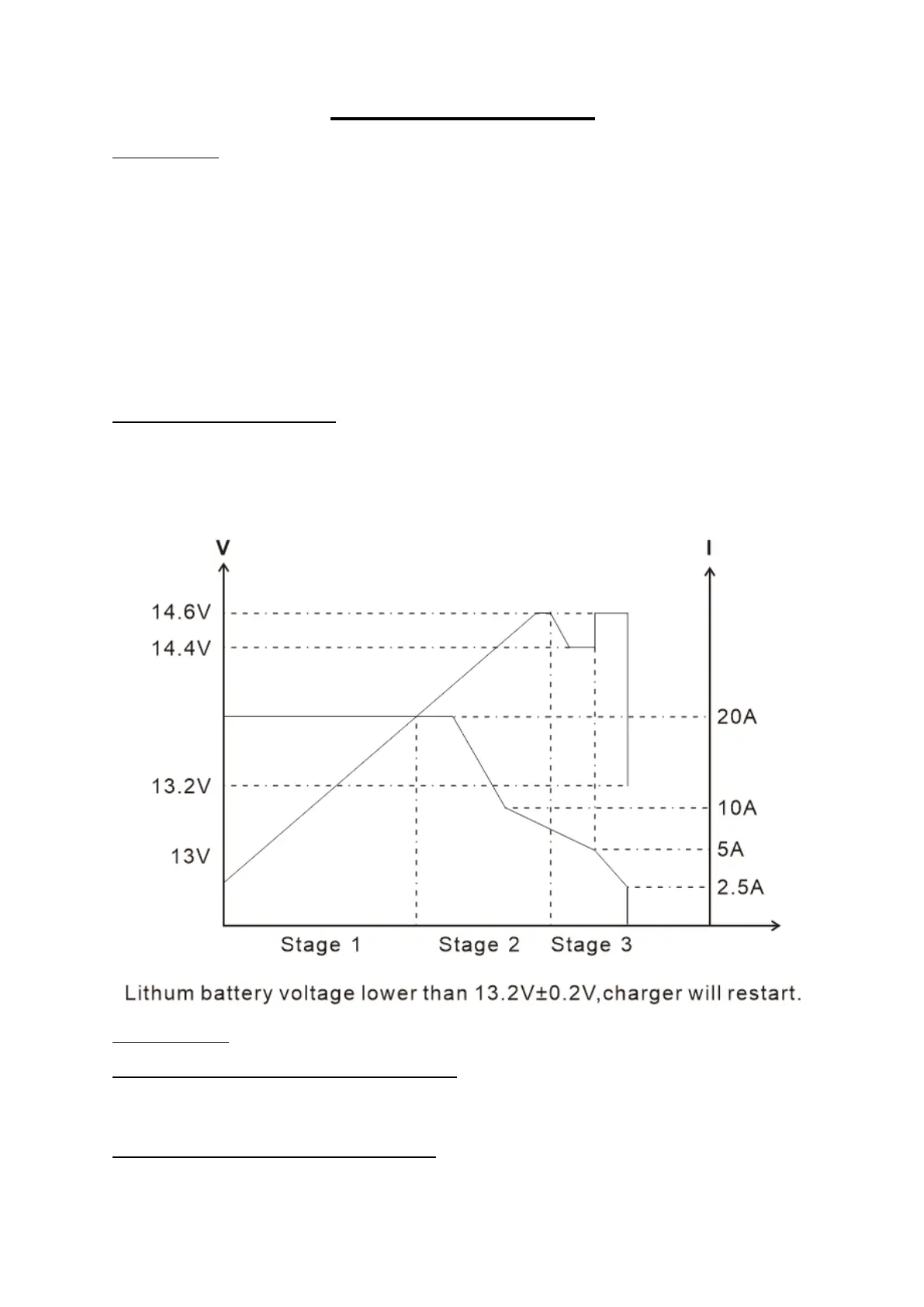
The iTECHBC20 20A Intelligent Lithium Battery Charger utilises a 3-stage charging algorithm to deliver
a fast, efficient, and consistent charge, prolonging the life of your battery. The stages can be visualised
in the graph below, with voltage(V) and current(I) over time(T).
Charging Stages:
Stage 1 Bulk or Boost Charge (Constant Current): This stage supplies the maximum rated current of
the charger at a constant rate until the battery reaches the final charging voltage (absorption voltage)
this ensures, that the battery is charged to approximately 80% capacity in the shortest amount of time.
Stage 2 Absorption Charge (Constant Voltage): In this stage, the charging voltage is held constant for
the remaining 20% capacity of the battery, and the current is gradually decreased as the battery
approaches full charge.


 To Next Page