9
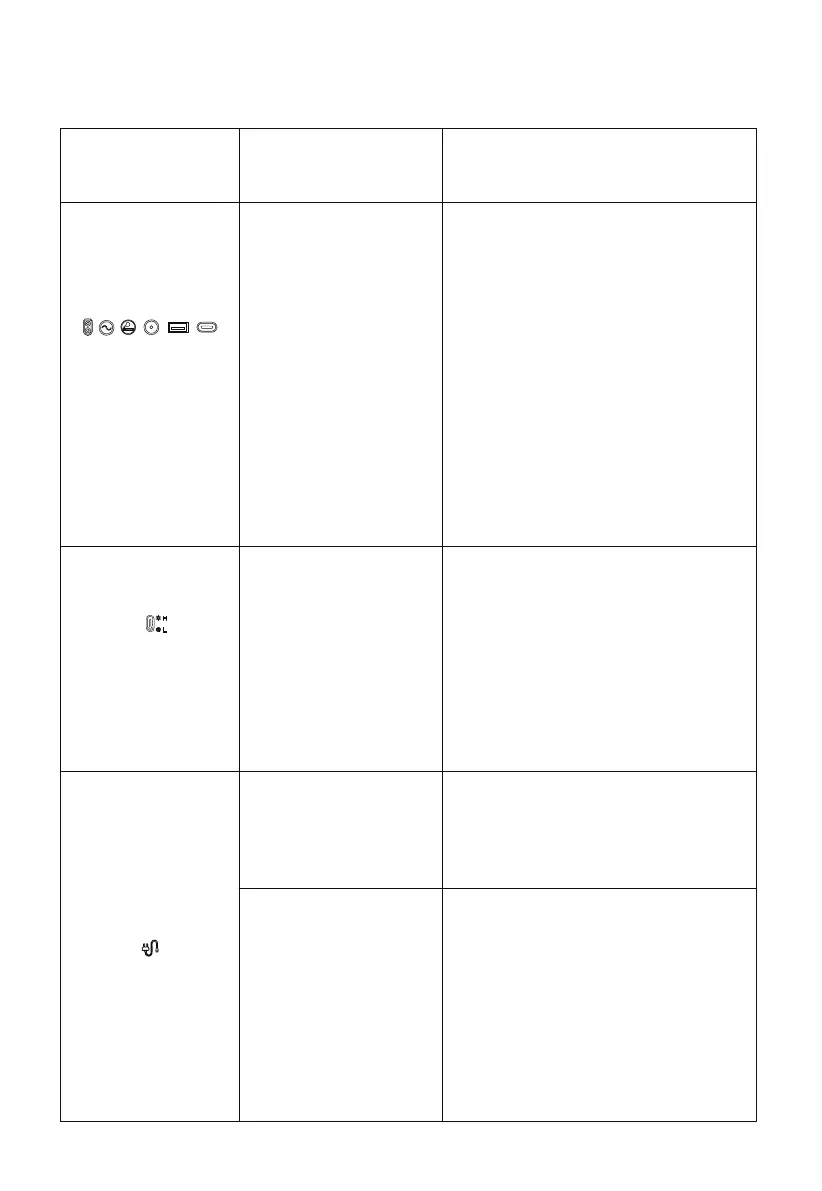
Above icon flashes
and buzzes.
output exceeds standard
(short circuit)
1.Remove the output device.
Check whether overload protector is
activated.If it's activated,press the
overload protection button,press the
AC output button.
3.If the overload protector does not
spring up,directly press AC output to
restore the output function.
Remove the equipment, turn off the
power of this product, and wait for the
equipment to reach the appropriate
temperature.
Confirm the connection status of the
line and the power supply status.
The temperature
warning icon flashes
and buzzes.
The temperature of this
product has exceeded
the appropriate
temperature.
Bad wire connection.
1. Turn off the power button and remove
cables from all ports.
2. After verifying that all components are
normal, turn on the power button.
3. Press the overload protection button
to connect the AC cable to recover
AC input.
Charging unavailable.
Overload protection
function activated.
Status
Explanation
Recover method
Fault Resolution


 To Next Page