11
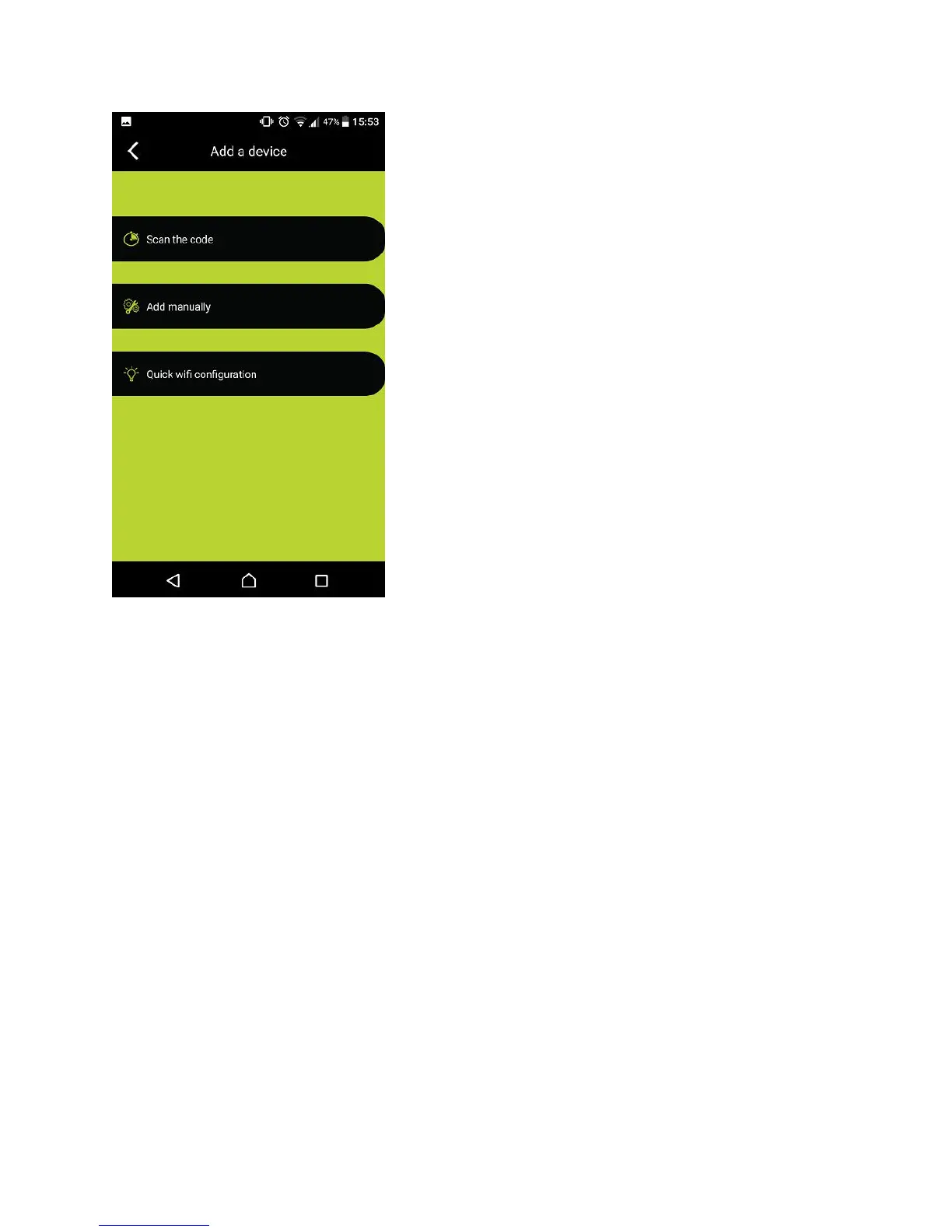
Scan the code or Add manually option
After the Wi-Fi Camera has been configured successfully for the first time, other users can
download and install the App – “itek Camera” on their iOS or Android devices, and then easily
add the same Wi-Fi Camera for operation under the App with either ‘Scan the code’ or ‘Add
manually’ option.
Scan the code – press ‘Scan the code’ option and then scan the code at the back of the Wi-Fi
Camera with the screen of your devices. Key-in the Login Password that can be found also at
the back of Wi-Fi Camera (i.e. Access code). Then, you can access the Wi-Fi Camera.
Add manually – press ‘Add manually’ option and then key-in both the Camera ID and Login
Password that can be found at the back of Wi-Fi Camera. After that, you can access the Wi-Fi
Camera.
Specifications –
Size: 5.1” (L) x 2.8” (W) x 1.4” (D) (folding to minimum size)
Weight: 2.4 Oz (without the USB Cable)
Power source: USB 5V


 To Next Page