10
CUSTOMER SUPPORT TEAM: +44 (0) 333 220 6058
TROUBLESHOOTING
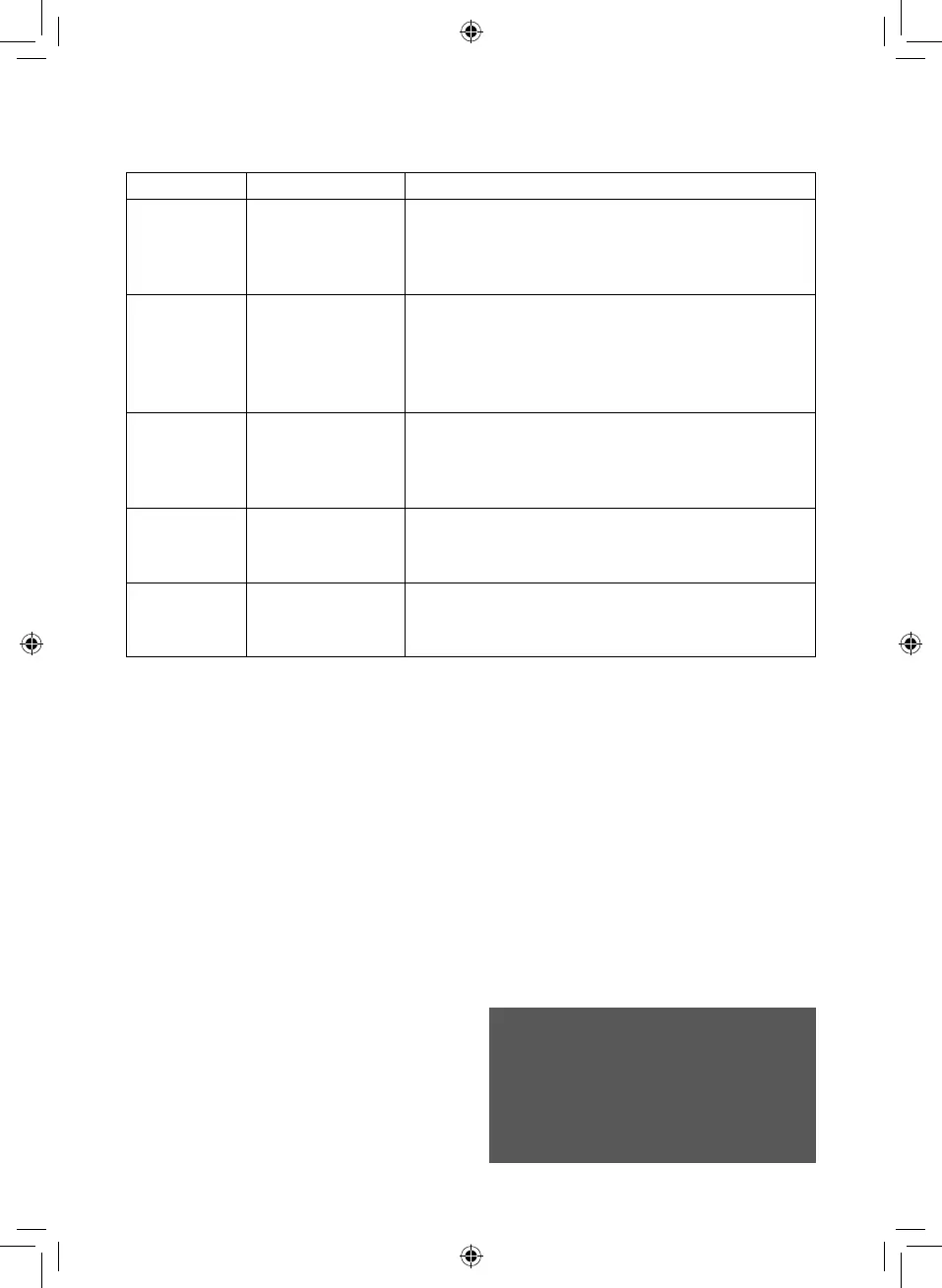
Issue Cause Solution
The unit will not
turn on
Battery not charged.
Old / spent battery.
Charge the battery.
Replace the battery with a new one of equivalent size and
voltage.
There is an
error message
when trying to
shoot photos or
videos.
SD/TF card full. Clear some memory on the inserted SD/TF card or replace it
with one with free storage space.
No sound when
shooting video
Sound recording
option not selected
Ensure the ‘Sound Recording’ option has been selected from
the video settings menu before attempting to shoot video. Refer
to the usage section for instructions on how to access and
change the settings.
The resolution is
too low.
Wrong resolution
selected.
Adjust the photo or video resolution from the photo or video
settings menu. Refer to the usage section for instructions on
how to access and change the settings.
The app is not
working with the
camera.
The Wi-Fi functionality
is not turned on.
Turn on the Wi-Fi functionality as detailed in the ‘Wi-Fi’ section
above.
CLEANING & CARE
• The camera needs very little maintenance.
However, the casing may become dirty.
Use a damp soft cloth to clean the case.
For stubborn stains, a small amount of
detergent may be used on the case. It
is recommended that a commercial lens
cleaner is used to prevent damage to the
lens surface.
• This unit is best stored in a cool dry
environment away from bright light and
dust.
• Remove all media when storing the
camera.
• When dry, return the camera to its
packaging and store in a cool dry place
away from children.
• Uninstall the battery and store it in a safe
place if the camera will not be used for an
extended duration of time.
WARNING:
DO NOT IMMERSE ANY ELECTRICAL PART
OF THE APPLIANCE IN WATER SUCH AS
MOTOR UNITS OR PLUGS.
PLEASE SEE CLEANING SECTION FOR
FURTHER INSTRUCTIONS.


 To Next Page