EasyManua.ls Logo

ITRON OpenWay Riva - User Manual

ITRON OpenWay Riva
13 pages
Print Icon
To Next Page IconTo Next Page
Loading...
Revision 1.0 Page 1
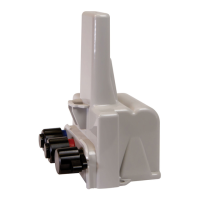
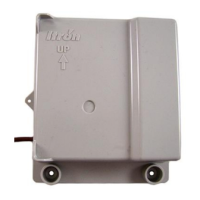
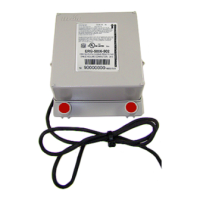
Itron OpenWay® Riva™ ACT Module
USER MANUAL
Note: To maintain the compliance with radiation protection, place the product at least 20 cm from nearby
persons.
The operation of the OpenWay® Riva™ ACT Module assumes you start with a CGR1240 as shipped from
Cisco. The CGR1240 will look like the picture below assuming there is a cellular backhaul module installed
in Slot 3:

Other manuals for ITRON OpenWay Riva

Questions and Answers

  • M
    Michael StephensonAug 16, 2025
    What to do if ITRON Control Unit OpenWay Riva remote module cannot be read?
    • M
      Mark BarnesAug 16, 2025
      If you cannot read the ITRON Control Unit OpenWay Riva remote module, try to reprogram the remote water module and then perform a reread. Note that if the remote water module isn't initially programmed, it won't 'bubble-up' and listen for an SCM+.
  • A
    Andrew TuckerAug 19, 2025
    How to fix handheld programmer when it is locked up for ITRON OpenWay Riva Control Unit?
    • C
      Christopher MclaughlinAug 19, 2025
      To resolve a locked-up handheld programmer for the ITRON Control Unit where button presses produce no response, perform a soft boot.
  • N
    nelsonrachelAug 22, 2025
    What to do if the ITRON OpenWay Riva Control Unit handheld programmer is locked up?
    • K
      Kyle RoseAug 22, 2025
      If the handheld programmer for your ITRON Control Unit is unresponsive, try a soft reboot. Press and hold buttons A and B until the screen fades, then release the buttons and allow the handheld to reboot.
  • R
    Richard MurrayAug 26, 2025
    Why can't I read the ITRON Control Unit OpenWay Riva remote module?
    • K
      Karen JohnsonAug 26, 2025
      If you cannot read the OpenWay Riva remote module of your ITRON Control Unit, it may not be programmed to transmit an SCM+. Reprogram the remote water module and then perform a reread. Also, if the module was not initially programmed, it won't 'bubble-up' to listen for an SCM+. Reprogramming and rereading can resolve this.
  • T
    Timothy WhiteheadAug 28, 2025
    How to improve readability of ITRON Control Unit OpenWay Riva remote module in difficult locations?
    • R
      roberto70Aug 28, 2025
      To address marginal readability issues with your ITRON Control Unit's OpenWay Riva remote module due to its location, consider reprogramming the module for Hard-to-Read (H2R) mode. This increases the output to high power levels; however, note that this mode will reduce battery life.
  • A
    Amber BrooksAug 31, 2025
    What to do if the ITRON OpenWay Riva Control Unit water pit module location causes marginal readability?
    • R
      robertaliAug 31, 2025
      If the ITRON Control Unit pit module has marginal readability due to its location (for example, deep inside a pit), consider reprogramming it for Hard-to-read (H2R) mode or using the remote antenna. Programming the pit module for hard-to-read mode increases the output to high power. Note: Hard-to-read mode will reduce battery life.
  • E
    Eric HarrellSep 3, 2025
    What to do if the ITRON OpenWay Riva Control Unit pit module has marginal readability?
    • R
      robertsnowSep 3, 2025
      If you are experiencing marginal readability with your ITRON Control Unit pit module due to its location, consider reprogramming the pit module for Hard-to-read (H2R) mode or using the remote antenna. Programming the pit module for hard-to-read mode increases the output to high power. Note that Hard-to-read mode will reduce battery life.
  • D
    Daniel MccannSep 6, 2025
    What to do if I cannot read the ITRON OpenWay Riva pit module?
    • K
      Kelly HammondSep 7, 2025
      If you cannot read the ITRON Control Unit pit module, it may not be programmed to transmit an SCM or SCM+ message. Reprogram the pit module and then perform a reread.
  • S
    Sheila MurphySep 9, 2025
    How to unlock ITRON Control Unit handheld programmer?
    • E
      Elizabeth MurilloSep 9, 2025
      If the handheld programmer for your ITRON Control Unit is locked up and button presses produce no response, soft boot the handheld by pressing and holding buttons A and B until the screen fades. Release the buttons and allow the handheld to reboot.
  • M
    Michelle WeaverSep 12, 2025
    Why is the ITRON Control Unit pit module reporting an invalid read?
    • H
      heather10Sep 12, 2025
      The ITRON Control Unit pit module may report an invalid read if it has set the Register Error flag, which will cause an Invalid Read to display in the FDM Consumption field.

ITRON OpenWay Riva Specifications

General IconGeneral
CategoryControl Unit
NameITRON OpenWay Riva
Operating Temperature-40°C to +70°C
Data SecurityAES-128 encryption
Communication TechnologyPLC
Frequency Band900 MHz
DimensionsVaries by model
WeightVaries by model
CertificationsFCC

Related product manuals