Need help?
Do you have a question about the Iwatsu ICON Series and is the answer not in the manual?
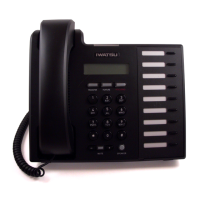
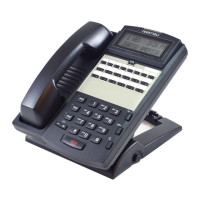
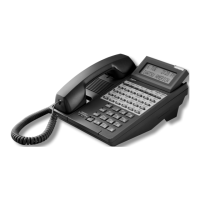
Overview of the digital key telephone and its basic functions.
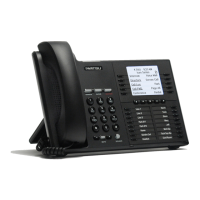
Explanation of the 10 self-labeling keys and their menu page system.
Details on keys programmable for specific functions like line access.
Explanation of key lamp indicators (green/red) for line/feature usage status.
System programming for automatic contact with Public Safety Answering Point (PSAP).
Feature to automatically redial the last external number called.
Steps to initiate an intercom call to another extension.
Procedure for making a standard outgoing call via speaker or receiver.
How to put an active call on hold, indicated by a flashing green lamp.
Instructions for answering intercom calls by lifting receiver or speaking.
Steps to answer ringing calls using speaker or receiver.
How to save a dialed number for future redialing using keys or codes.
How to increase speaker volume and toggle between duplex modes.
Process to transfer an outside call to another extension.
Guide to navigating the self-labeling display using page and setup keys.
Instructions for manually changing key labels without altering functions.
Procedures for pairing, connecting, and disconnecting Bluetooth headsets.
How to adjust the LCD display contrast using arrow keys.
Instructions to activate and select ticker scroll speed and display line.
How to view, make, and delete call records with Caller ID and timestamps.
How to add digits to a Call Log entry before making a call.
Steps to program and activate call forwarding destinations and modes.
Guide to initiating and managing conference calls with multiple parties.
Accessing and searching the internal phone directory by name or number.
Accessing and searching system-wide speed dial numbers.
Programming and accessing personal speed dial entries.
Accessing specific personal or system speed dial bins.
How to park a call for later retrieval from any extension.
Transferring a call to another user's extension park.
Procedure to automatically redial the last outside call.
Accessing and managing voice mail messages and setup.
Initiating emergency notifications to groups or paging systems.
Monitoring voice mail messages as they are recorded.
Setting up a callback when an internal extension is busy.
Setting up a callback for a busy outside number.
Answering calls ringing at another extension via a dedicated key.
Sending incoming calls to a designated destination like voice mail.
Answering calls for other extensions within a pickup group.
Recording calls to voice mail, subject to legal restrictions.
Activating DND to prevent incoming calls from ringing.
Automatically forwarding incoming calls when a call is put on hold.
Placing calls on hold that can only be retrieved from the originating extension.
Using the Flash key for dial tone or intercom calls.
Programming and calling extensions within designated hunt groups.
Leaving and checking message waiting indicators for extensions.
Making announcements to multiple extensions or paging systems.
Selecting one of eight distinct ring tones for your station.
Sending manual or busy bypass text messages to other extensions.
Navigating through system and personal text messages.
Entering and saving custom text messages for specific keys.
Picking up incoming calls when the system is in night mode.
Communicating with a busy station without interrupting their call.
Overview of how external callers access system features via DISA.
How to gain access to DISA dial tone by interrupting a message.
Making internal calls using DISA access.
Accessing various system features via DISA with passwords.
Factors affecting Bluetooth headset operation on the telephone.
Environmental factors influencing Bluetooth performance and range.
 General
| Category | Telephone |
|---|---|
| Brand | Iwatsu |
| Speed Dial | Yes |
| Caller ID | Yes |
| Speakerphone | Yes |
| Headset Jack | Yes |
| Compatibility | Iwatsu phone systems |
| Series | ICON |
| Lines | Varies by model |
| Display | Varies by model |

 To Next Page