EN
SEL HSc
3.2.2 Operation instruction under STICK mode.
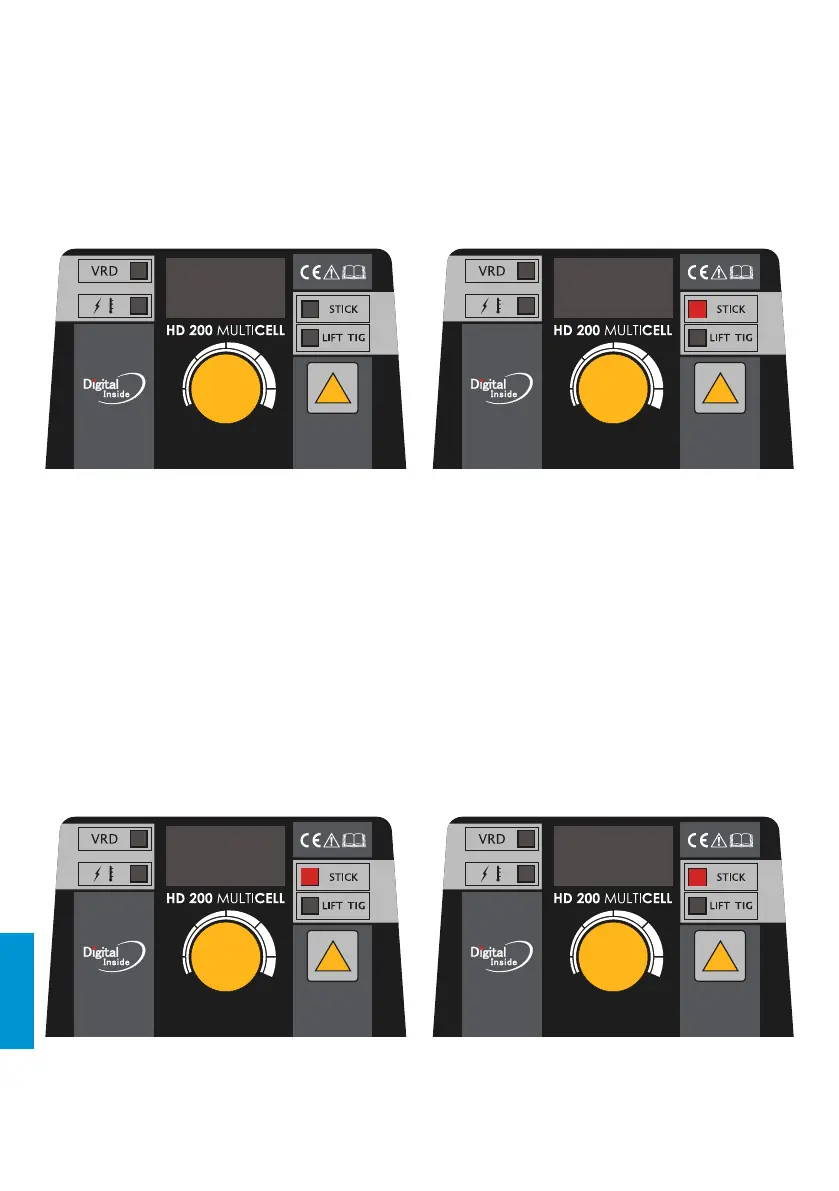
a) When welding stops, Press the [STICK/LIFT TIG and VRD switch key] quickly, the STICK indicator
lights up, and it turns into STICK mode. The front panel displays as Chart 2.
b) Press the switch key for 5s, it can open or close the VRD function.
c) Turn the [Multifunctional data adjusting knob] to set the current.
d) Press the [Multifunctional data adjusting knob] to choose electrode, hot start current, hot start
time and arc force parameters as following gures.
And turn the knob to set the parameter value.
3.2.1 The starting up display
Switch on the welding power source, the front panel displays as Chart 1. After the [Welding
current display] (or press any key or knob on front panel) ashes for 5 seconds, the machine
enters into the welding mode that saved in the last shutdown.
rL 080
Chart 2: display under STICK modeChart 1: the starting-up display interface
3.2 Operation instruction
98




 To Next Page