TR-800 EVALUATION KIT USER GUIDE V1.0
CONFIDENTIAL
All specifications are correct at the time of release. iWOW Connections owns the proprietary rights to the information contained herein this
document. It may not be edited, copied or circulated without prior written agreement by iWOW Connections Pte Ltd. iWOW Connections Pte Ltd
reserves the right to, at any time modify the document content without prior notice.
© 2005 iWOW Connections Pte Ltd
4.2 Testing On Short Message
4.2.1 Send SMS
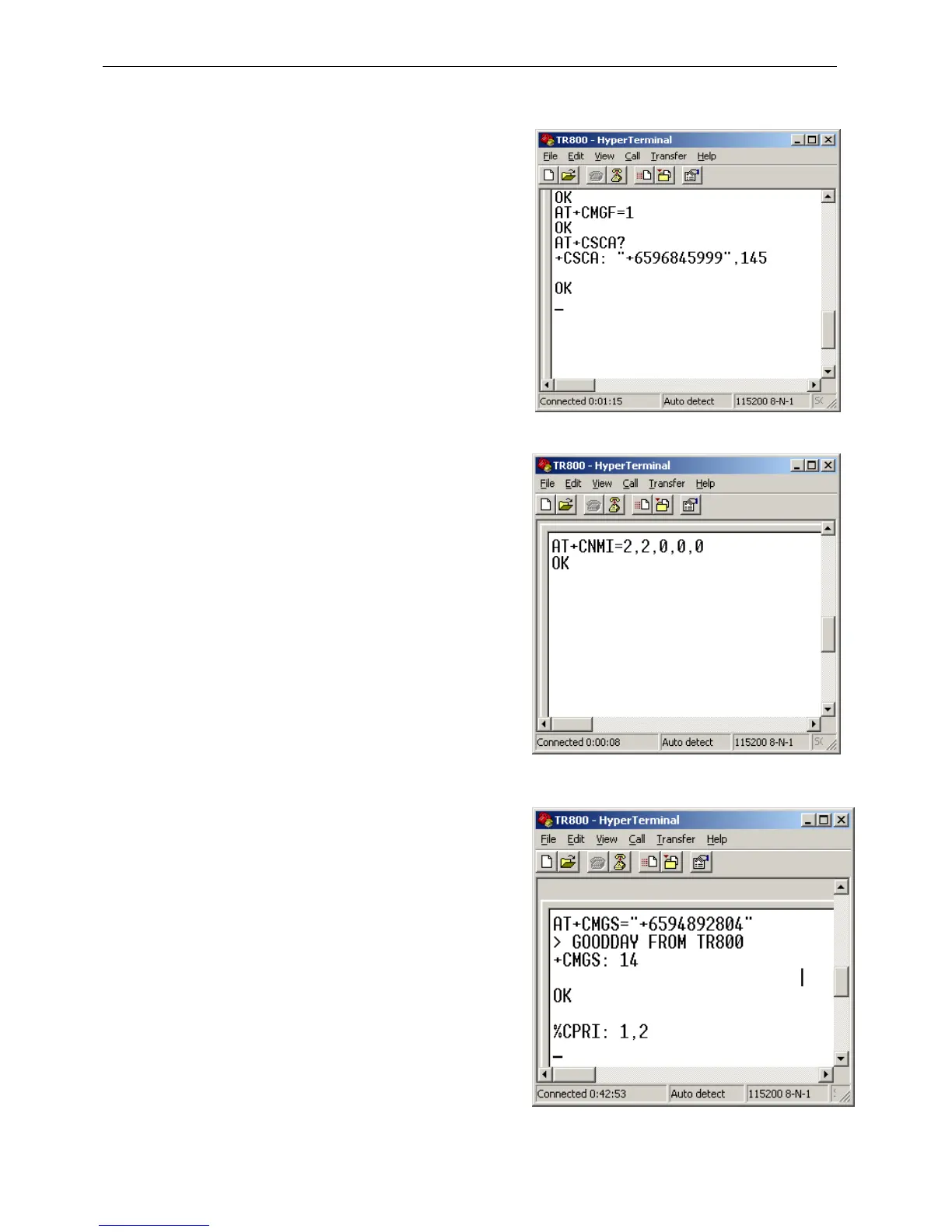
1. Set the short message format as
text mode:
AT+CMGF=1<ENTER>
2. Check if SMS service center (SMSC)
number is set to SIM card:
AT+CSCA?<ENTER>
3. Set the new incoming SMS to be
displayed immediately:
AT+CNMI=2,2,0,0,0<ENTER>
4. Send a message using this command:
AT+CMGS= “Phone number”
<ENTER>Message<Ctrl-Z>
Figure 6
Figure 7
Figure 8



 To Next Page