TR-800 EVALUATION KIT USER GUIDE V1.0
CONFIDENTIAL
All specifications are correct at the time of release. iWOW Connections owns the proprietary rights to the information contained herein
this document. It may not be edited, copied or circulated without prior written agreement by iWOW Connections Pte Ltd. iWOW
Connections Pte Ltd reserves the right to, at any time modify the document content without prior notice.
© 2005 iWOW Connections Pte Ltd
4.3 Set up TR-800 as a serial modem
To use the serial modem for Internet connection, either via GSM CSD or GPRS, you must first
set it up as a modem on COM1 on your PC. Otherwise, it will only be recognized as a device
on COM1. This section will detail how this can be done in the Win2000 environment. For other
Windows OS, similar steps apply.
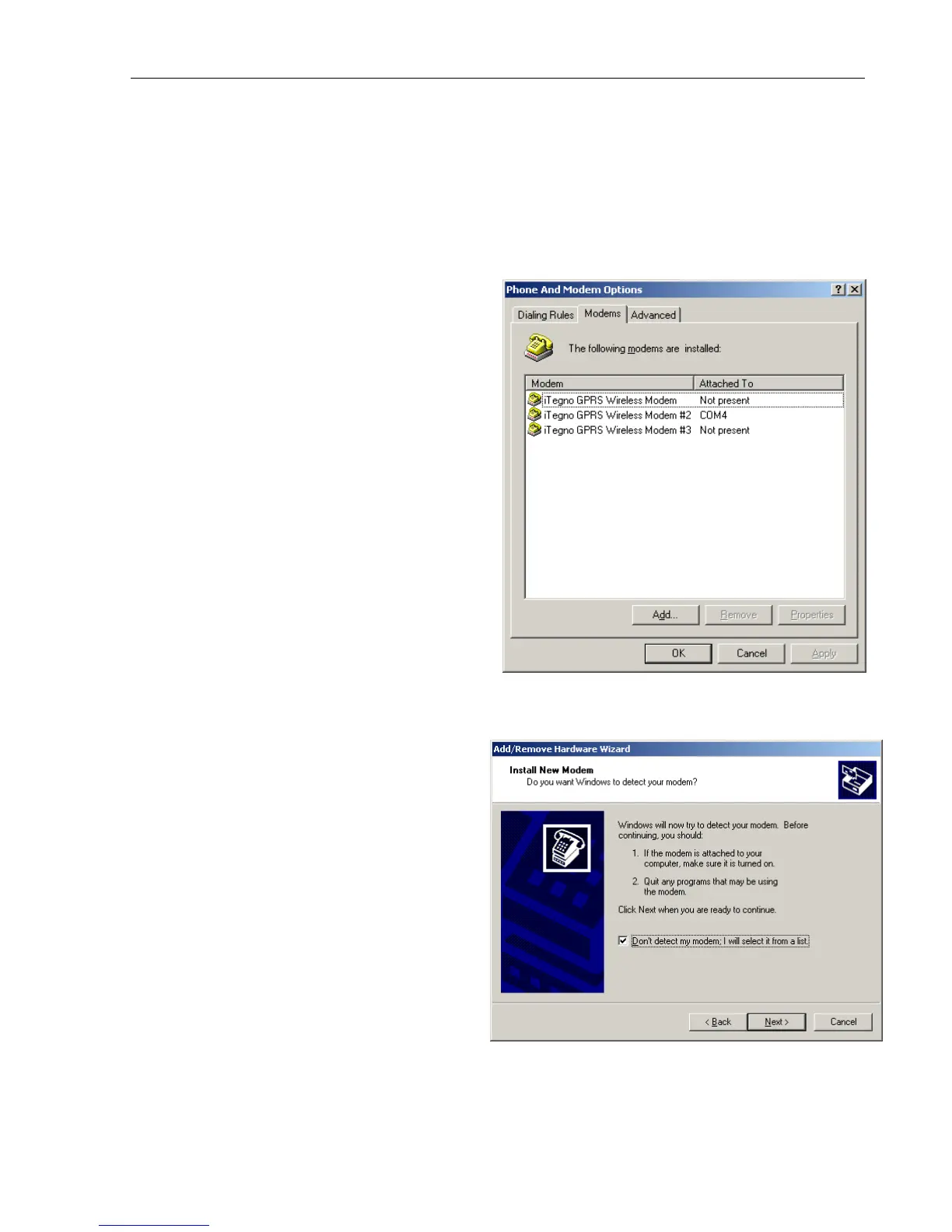
1. Go to Control Panels > Phone And
Modem Options.
Select the Modems tab.
Click on Add… for the next screen.
2. Please ensure that the option “Don’t
detect my modem. I will select it
from a list” is checked.
Click on Next for the next screen.
Figure 12
Figure 13



 To Next Page