EasyManua.ls Logo

iXBlue Octans - User Manual

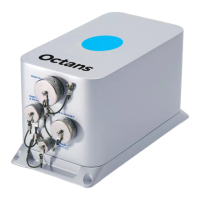
iXBlue Octans
30 pages
Print Icon
To Next Page IconTo Next Page
Loading...
AHRS
Advanced Configuration
User Guide

Other manuals for iXBlue Octans

Questions and Answers

  • S
    Sarah HodgeJul 29, 2025
    How to fix impossible to display the Web-based User interface of iXBlue Marine Equipment?
    • K
      Katherine CurryJul 29, 2025
      If you can't display the Web-based User Interface for your iXBlue Marine Equipment, it might be due to an incorrect URL. Double-check the URL you've entered, noting that the default address is 192.168.36.1xx, where 'xx' represents the last two digits of your OCTANS serial number. Also, ensure your computer's IP address is within the same range as the unit. Alternatively, the URL address may have been changed. To retrieve the new OCTANS IP address, connect the repeater cable to your PC and start a serial terminal configured at 19200 baud, no parity, 1 stop bit, and 8 data bits. Reboot OCTANS. The OCTANS boot sequence message will display its IP address (line beginning with “IFCONF”). Then, enter this URL address in your web browser.
  • R
    Robert MccoyAug 7, 2025
    What to do if the compass does not display on the Web-Based User Interface of iXBlue Marine Equipment?
    • M
      Mr. Michael SalazarAug 7, 2025
      If the compass isn't displaying on the Web-Based User Interface of your iXBlue Marine Equipment, the Flash player may not be installed on your PC, or the installed version might be outdated. To resolve this, install the Flash player provided on the CD-ROM.
  • A
    Amanda AcevedoAug 18, 2025
    What to do if impossible to record data on iXBlue Marine Equipment?
    • D
      Deborah GoldenAug 18, 2025
      If you are unable to record data when clicking on the DATA LOGGING menu in your iXBlue Marine Equipment, it could be because the Java Runtime Environment is either not installed on your PC or the installed version is too old. To fix this, install the Java Runtime Environment provided on the CD-ROM.

Summary

Version and Products Concerned

General Conventions

Command Syntax

Defines the NMEA 0183 compatible command format.

How to Send and Receive Commands

Explains the process of sending and receiving commands via repeater port.

General System Configuration

Save to EEPROM

Command to save all parameters into EEPROM for persistence.

Software System Reboot

Command to restart the AHRS algorithm via software.

Web MMI Passwords Reset

Command to reset the Web MMI user interface passwords.

Interfaces Configuration

Dynamic String Retrieve Commands

iXBlue Octans Specifications

General IconGeneral
Operating Temperature-10°C to +55°C
Data Output RateUp to 200 Hz
CategoryMarine Navigation System
Power Supply18-36 VDC
InterfacesEthernet

Related product manuals