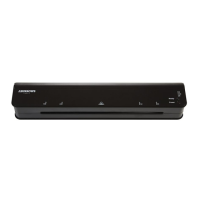
USING YOUR LAMINATOR
1. Remove the laminator from the packaging and unwind the cord to its full length.
2. Put the laminator on a flat surface. Ensure there is enough space at the front and
back of the laminator when in use for pouches to pass through without obstruction.
3. Plug the machine into a suitable power supply outlet.
4. Ensure the ON/OFF switch is in OFF position before plugging in the laminator.
COLD LAMINATION
Turn on power and select the ‘Cold’ mode to start the cold lamination,
the blue LED will illuminate when ready for cold lamination.
NOTE:
Ensure the machine is cool when using Cold lamination.
Do NOT use cold lamination if the machine has just completed a Hot/thermal
lamination job.
HOT LAMINATION
Press the “temperature selection button” to select the correct ‘Hot’ mode
according to the thickness of the thermal laminating pouch, the machine will
start to heat up. After 1~2 minutes, the blue LED will illuminate and stay
steady when the machine has reached the correct operating temperature.
The machine is ready to laminate thermal laminating pouches.
Prepare the laminating pouch for inserting into the machine. Load the paper
centrally into the pouch against the pre-sealed edge.
Do not use pouches thicker than 125micron.
NOTE:
Ensure the sealed edge of the laminating pouch is inserted into the laminator
first.
When the laminator has reached operating temperature, the pouch can be
inserted into the machine until it engages with the rollers. Always insert the
pouch with the closed edge into the machine.



 To Next Page