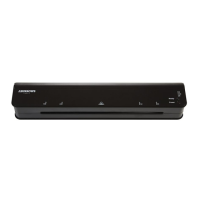
Do NOT insert the pouch with open edge into the machine, this may cause
the machine to jam.
The pouch will move through the machine and exit at the other side. Take
out the pouch immediately. Do NOT leave it in laminator for more than 10
seconds.
Turn the laminator OFF after use.
Remove the plug from the power supply.
ATTENTION:
Do NOT laminate heat sensitive paper.
For optimal lamination performance, the suitable room temperature is
18~25℃.
CLEAR A JAMMED POUCH
This laminator is designed with anti-jamming technology. In the case of a mis-feed
occurring, first turn the laminator off, then press the Jam Release Lever and pull the
pouch out manually.
CLEANING & MAINTENANCE
Unplug the laminator when not in use or before moving or cleaning.
Wipe clean with a dry cloth.
Do not spray any flammable gas or oil on this laminator, it may cause a fire.
If the power supply cord is damaged it must be replaced by a qualified
electrician to avoid a hazard.
Never remove the cover or dismantle the machine, no serviceable parts
inside.



 To Next Page