10
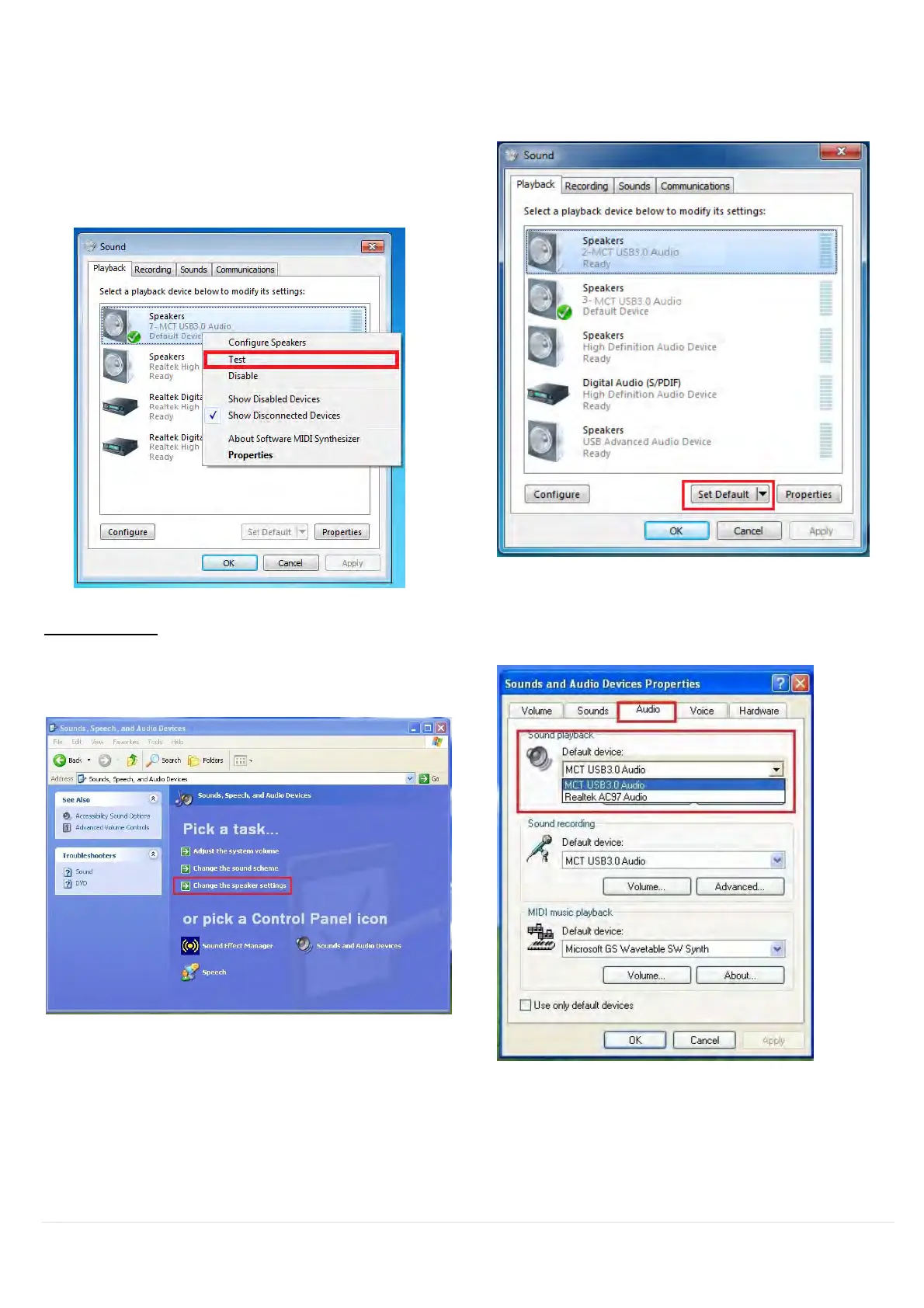
3. To change the default sound output, use
your mouse to right click in the sound
options box on your desktop, then select
“Test” to choose which speaker you want
to use as your default.
4. Select the Speaker you want and then
click “Set Default”
Windows XP:
1. Go to “Control Panel> Sounds, Speech,
and Audio Devices” and select “Changes
the speaker settings”.
2. The speaker options are shown below.
Note:
A. The speakers are numbered according to the number if USB ports detected by your
computer system.
B. The Default sound will output from the ULTRA STATION with the greatest number of USB
ports.



 To Next Page