ULTRA STATION USER MANUAL
9
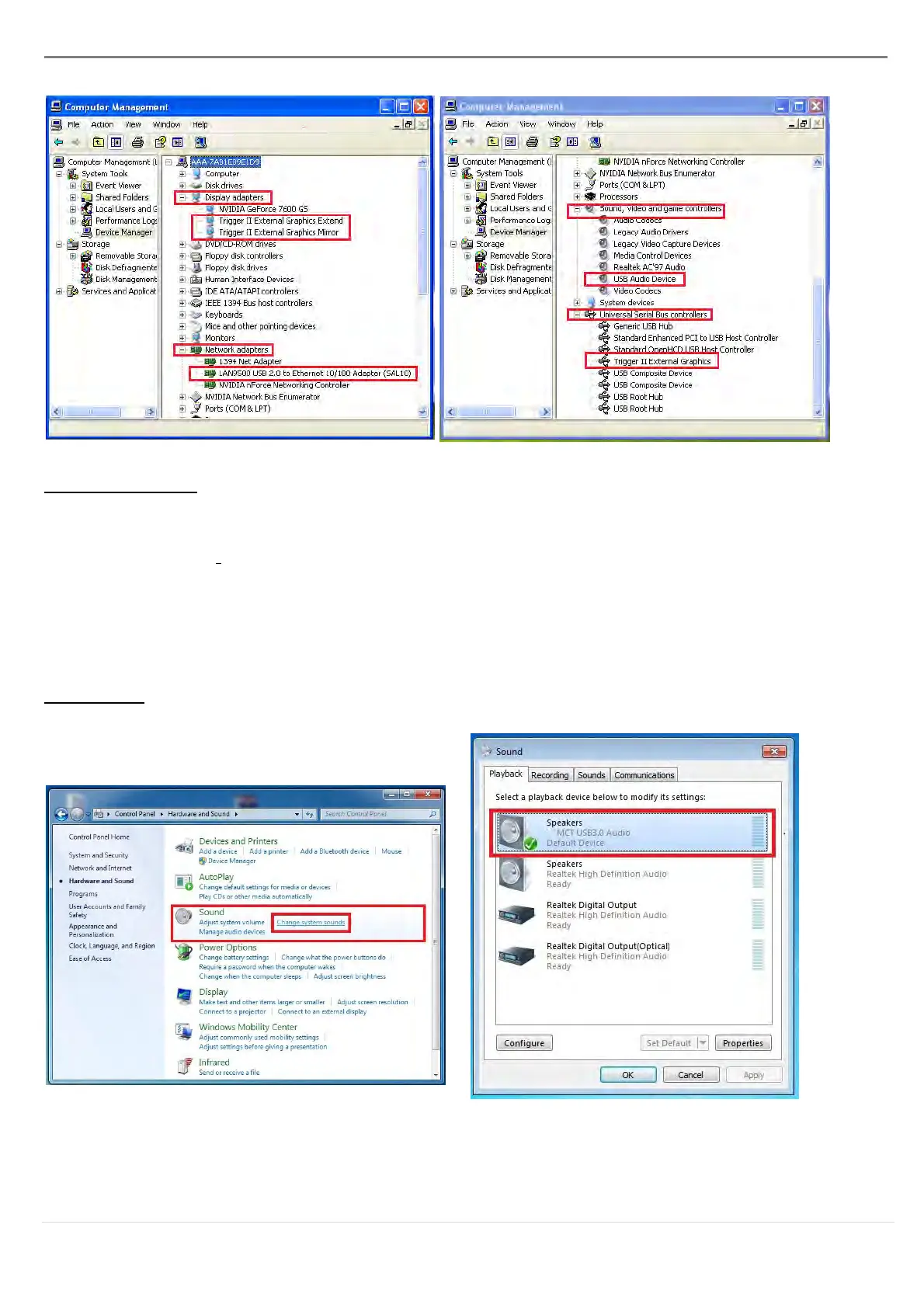
Setup The Sound
Microsoft’s audio system restricts the audio function to one output at a time; therefore, when
using the USB HDMI display Device only one output will receive audio.
The following explains how to set-up and change the default sound output from the display
device connected with the USB 3.0 ULTRA STATION.
Windows 7:
1. Go to “Control Panel> Hardware and
Sound” and select “Changes system
sounds”
2. The speaker options are shown below.



 To Next Page