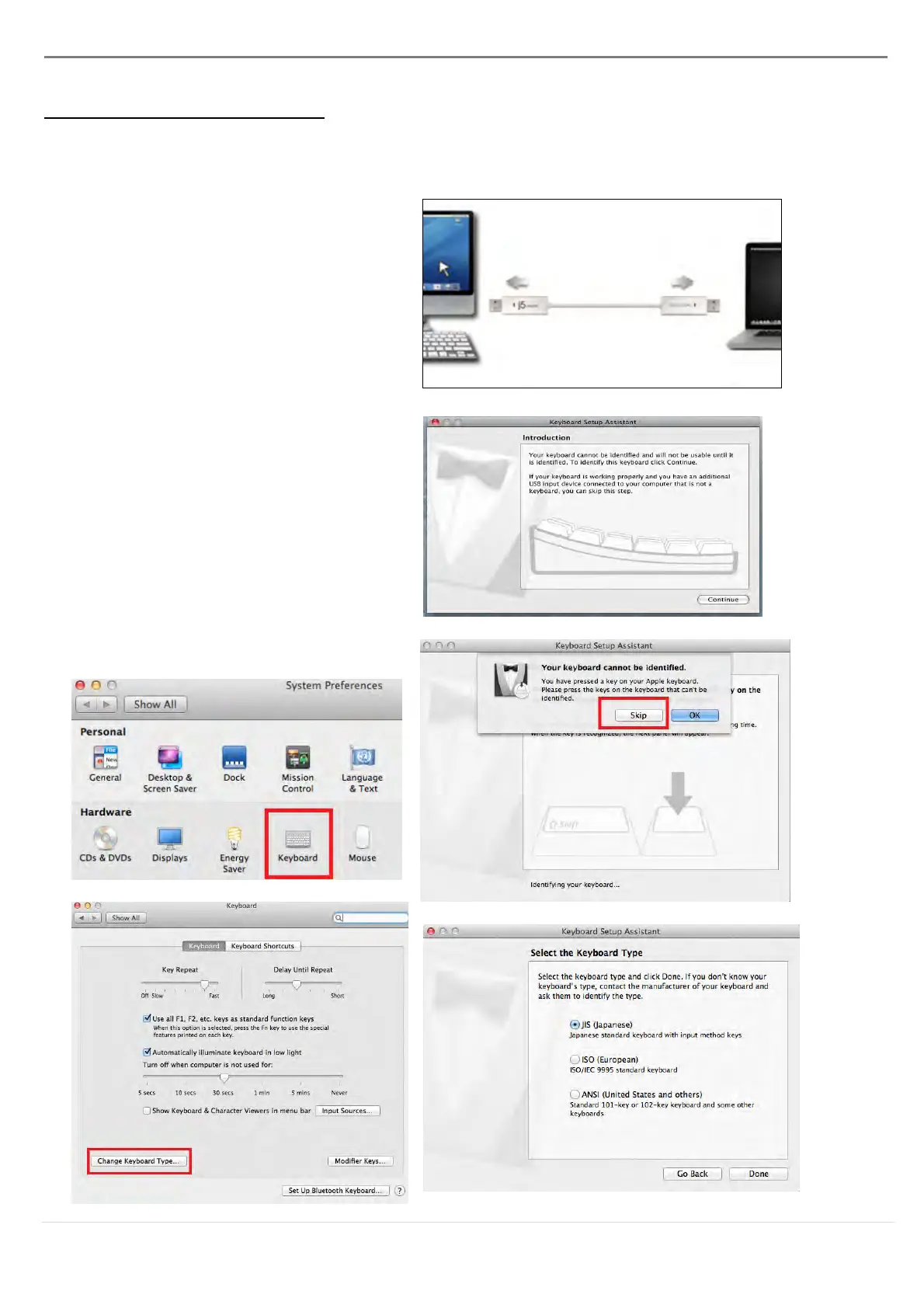
1. Connect one end of the Wormhole
Switch to a standard USB port on
one of the two computers. And
connect the other end of the
Wormhole Switch to a USB port on
the second computer.
2. When you initially connect the
Wormhole Switch to the MAC
computer a window will pop up that
says, “Keyboard Setup Assistant”,
follow the steps to select the
keyboard Type.
Tip: You also can change the setting,
Go to “ System Preferences”->
“Keyboard”-> “change the keyboard
Type”



 To Next Page