Need help?
Do you have a question about the Jabra Connect 4s and is the answer not in the manual?
Plug the USB cable into a port and press the On/Off button for 2 seconds to turn the device on or off.
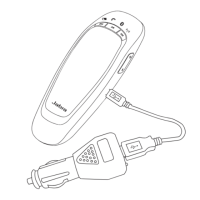
Connect the USB cable to a computer's USB port to charge the battery; light is red when charging, green when fully charged.
Press and hold the Bluetooth button until it flashes blue, then select the device on your mobile.
Pair a Bluetooth headset by pressing the Bluetooth button for 8 seconds until light flashes blue and green.
Details on using buttons like On/Off, Answer/End call, volume, and battery status for device operation.
Information on managing multiple calls, including holding, answering, and switching between them.
Instructions to cycle through connected devices by holding the Bluetooth button and tapping volume buttons.
How to toggle voice guidance prompts on or off by pressing and holding the Mute button for 8 seconds.
Explains the Smart button for voice assistants or speed dial, requiring Jabra Direct activation.
Description of Jabra Direct software for device support, management, and optimal functionality.
Steps to update firmware using Jabra Direct to improve performance and add new functionality.
Provides a link to view FAQs on the Jabra website for common product inquiries.
Guidelines for proper storage, avoiding extreme temperatures, and protecting from liquids.
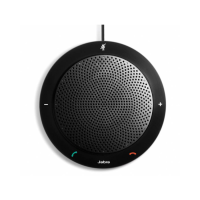
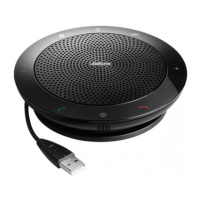
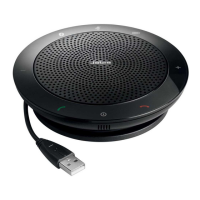
The Jabra Connect 4s is a portable speakerphone designed for seamless communication, offering a range of features for both personal and professional use. It allows users to answer, end, reject, and mute calls, providing a comprehensive solution for call management. The device boasts a portable design, making it convenient for use in various settings, whether at home, in the office, or on the go.
One of the key functionalities of the Jabra Connect 4s is its versatile connectivity options. It can be connected to a computer via a USB cable, ensuring a stable and reliable connection for calls and audio. Alternatively, it can connect wirelessly to a mobile device through Bluetooth, offering flexibility and freedom of movement. For enhanced privacy, the Jabra Connect 4s also supports connection to a Bluetooth headset, allowing users to conduct private conversations without disturbing others.
The speakerphone is equipped with an omni-directional microphone, designed to capture sound from all directions, ensuring clear and crisp audio for all participants in a call. It also features wideband audio, which contributes to exceptional sound quality, making conversations feel more natural and engaging.
User interaction with the Jabra Connect 4s is facilitated through various indicators and controls. It includes LED lights that provide visual cues about the device's status, such as Bluetooth connection, battery level, and call status. Audio indicators and voice guidance further enhance the user experience, providing audible feedback and instructions.
The device is powered by a rechargeable battery, offering up to 15 hours of talk time on a single charge, which is ideal for extended use throughout the day. Charging the Jabra Connect 4s is straightforward; users simply plug the USB cable into any available USB port on their computer. The battery light indicates the charging status, turning red when charging and green when fully charged.
The Jabra Connect 4s features a user-friendly interface with dedicated buttons for various functions. The On/Off button allows users to power the device on or off with a simple press and hold. Volume up and down buttons enable easy adjustment of audio levels. An Answer call button and an End/reject call button provide quick control over incoming and ongoing calls. A Mute microphone button allows users to quickly mute or unmute their microphone during a call.
A notable feature of the Jabra Connect 4s is the Smart button, which offers customizable functionality. By default, the Smart button is off, but it can be enabled through Jabra Direct software. Once enabled, it can be configured to activate a smartphone's voice assistant, such as Siri, Google Assistant, or Cortana, providing hands-free control. Alternatively, it can be set up for speed dial, allowing users to quickly call a pre-assigned phone number on their smartphone or computer.
The Jabra Connect 4s is designed to handle multiple calls simultaneously, enhancing productivity for users who manage several conversations. It allows users to put a current call on hold to answer an incoming call, switch between held and active calls, and reject incoming calls, all with intuitive button presses.
Switching between connected Bluetooth devices is also a convenient feature. Users can press and hold the Bluetooth button while tapping the Volume up or Volume down button to cycle through connected devices. The device announces the connected devices, and once the desired device is announced, releasing the Bluetooth button establishes the connection.
Voice guidance is another helpful feature, providing audible prompts and instructions. Users can turn voice guidance on or off by pressing and holding the Mute button for 8 seconds. It's important to note that not all voice prompts will be disabled when voice guidance is turned off.
For optimal performance and to access advanced settings, Jabra Direct software is highly recommended. This software supports, manages, and enables optimal functionality for Jabra devices. It allows users to update the firmware of their Jabra Connect 4s, which improves performance and adds new functionalities. Firmware updates are easily performed by connecting the device to a computer via USB, installing Jabra Direct, and checking for the latest firmware through the software. Users receive notifications whenever an update is available.
Maintaining the Jabra Connect 4s is simple, ensuring its longevity and reliable performance. Users should always store the device with the power off and ensure it is safely protected. It is crucial to avoid storing the device at extreme temperatures, as this can shorten battery life, affect operation, and degrade performance. Specifically, temperatures above 70°C/158°F or below -20°C/-4°F should be avoided. Additionally, the Jabra Connect 4s should not be exposed to rain or other liquids to prevent damage.
In summary, the Jabra Connect 4s is a versatile and user-friendly speakerphone that combines robust connectivity, high-quality audio, intuitive controls, and smart features, making it an excellent tool for modern communication needs.
 General
| Bluetooth | Yes |
|---|---|
| Product color | Black |
| Volume control | Touch |
| Bluetooth version | 3.0 |
| Country of origin | China |
| Bluetooth profiles | HSP |
| USB 2.0 ports quantity | 1 |
| Package depth | 260 mm |
| Package width | 275 mm |
| Package height | 300 mm |
| Package weight | 736 g |
 Weight and Dimensions
| Width | 120 mm |
|---|---|
| Weight | 195.4 g |

 To Next Page