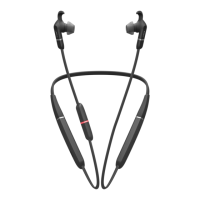
Jabra Evolve 65 UC Stereo
How do I pair my Jabra Evolve 65 with my mobile device?
To pair your Jabra Evolve 65 with your smartphone, tablet, or other mobile
device, follow these steps.
1. Turn on the Bluetooth setting on your mobile device.
2. To enter pairing mode, hold (3 seconds) the On/off/pairing switch in
the Bluetooth position until the LED flashes blue. Alternatively, wear
the headset to hear the pairing instructions.
The headset is now ready to pair with your mobile device.
3. To pair, go to the Bluetooth menu on your mobile device and select the
Jabra Evolve 65 from the list of available devices.
Enter “0000” (four zeros) if you are asked for a PIN.
Note
If pairing is not successful, try the pairing steps again, or try pairing with a
different Bluetooth device. For troubleshooting tips, see here.
Optionally, try using the Bluetooth Pairing Guide which provides detailed
steps for pairing with a mobile device.














 To Next Page


