36
ENGLISH
7.12 Audio notifications
Audio notifications indicate connection and
battery status and announce pairing
instructions. Audio notifications are enabled by
default.
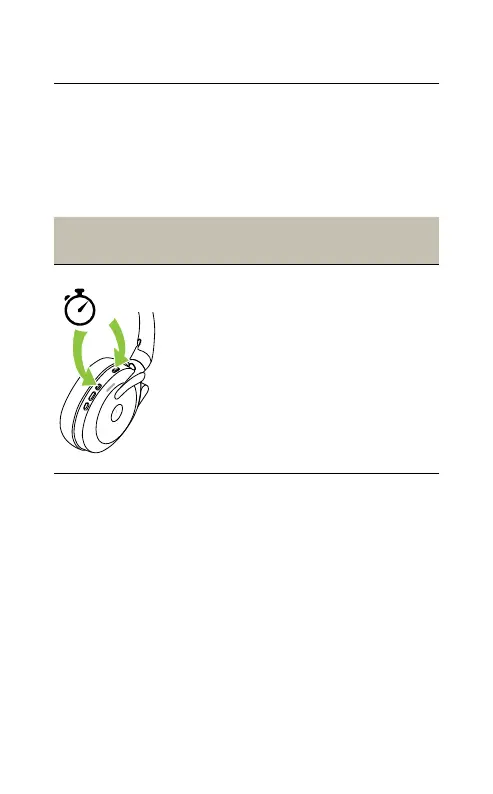
Right ear-
cup
Voice guidance
5
Turn audio
notifications
on/o
Press and hold
(5 sec) the Voice
button and the
Volume up button
until you hear an
announcement in the
headset
Audio notifications can be configured using the
Jabra Sound+ app on your smartphone or Jabra
Direct on your computer.
For the latest list of supported languages, refer
to the Jabra Sound+ app or Jabra Direct.










 To Next Page