18
ENGLISH
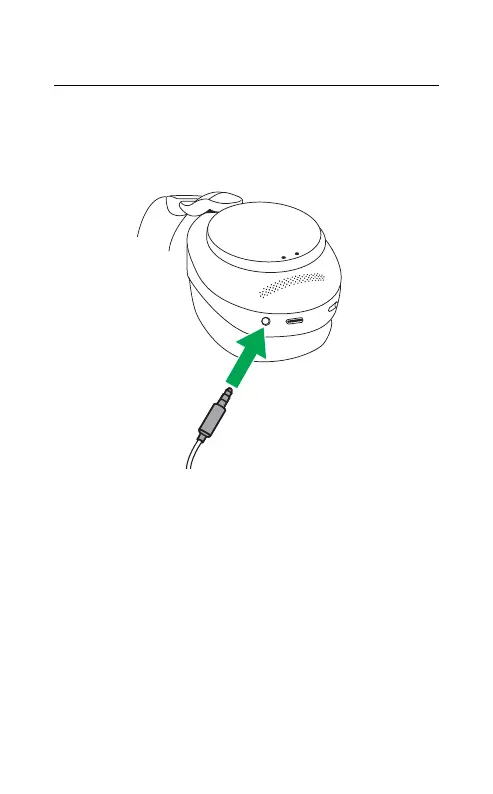
6.3 Connect to 3.5mm jack port
Plug the supplied audio jack cable into the
3.5mm audio jack port on the headset.
When connected to a device using the audio
jack cable, the headset microphone and
Bluetooth are disabled. If the headset is
plugged into a smartphone, the smartphone’s
microphone will be used for calls.
The volume and ANC/HearThrough can be
controlled using the buttons on the headset.










 To Next Page