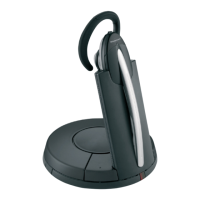
Jabra GN9120 Midi Boom Noise Filtering
Microphone w/ E-Rhl
How to connect my Jabra GN9120 EHS / GN9125 EHS with
Alcatel Touch 4029, 4039
Prerequisite:
Jabra GN9120 EHS + Jabra LINK 14201-09
Jabra GN 9125 EHS + Jabra LINK 14201-09
In combination with one of the following phones:
Touch 4029
Touch 4039
Connection:
Connect the MSH connection cable to the base of the Jabra GN912x EHS
as follows:
2 modular plugs (RJ9+RJ45)
2-sided end: Insert the RJ45 into the socket identified with "AUX" and
the RJ9 into the socket identified with the complete "phone" symbol on
the base.
2-fold Y-coupling end: Insert the 3.5 mm phone jack into the headset
https://www.jabra.com/en-gb/supportpages/jabra-gn9120/9120-48-11/faq/4835ac34-
5f08-4ca9-bf18-f039dbca72aa
Page 1 of 5

 Need help?



 To Next Page
 General