9
ENGLISH
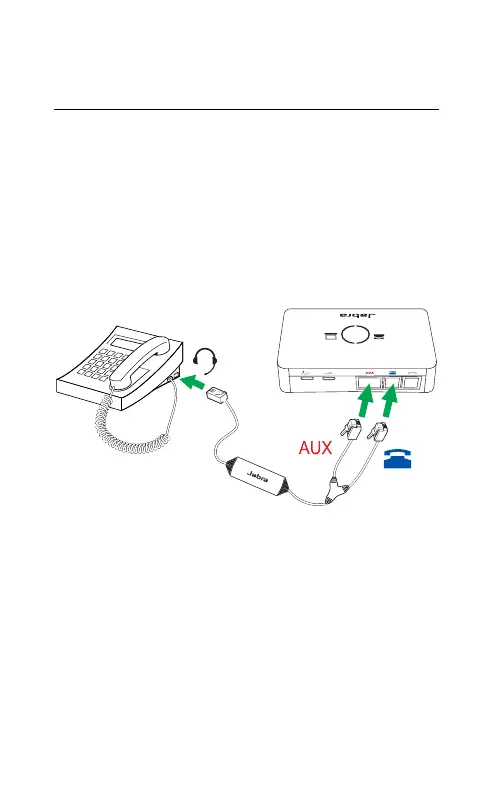
3.3 Connect to a desk phone with an
electronic hook switch
An electronic hook switch enables an incoming
call to be answered or ended by the headset´s
multi-function button. If the desk phone has an
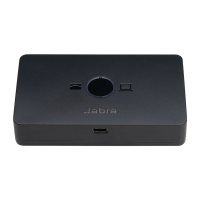
electronic hook switch, a Jabra Link adapter*
will need to be connected between the desk
phone and the base.
For specific instructions on connecting an
electronic hook switch adapter* to a desk
phone, please refer to the cabling
documentation supplied with the adapter.
*For details on electronic hook switch compatibility
specific to your desk phone, and to purchase the
required adapter, visit Jabra.com/accessories.


 To Next Page