8
JABRA MOVE WIRELESS
NOTE: If two mobile phones have been connected to the
Jabra Move Wireless, you may need to select which
phone will be used for calls/music. Simply open the
Bluetooth menu on the mobile phone you wish to use
for calls/music and select the Jabra Move Wireless from
the list of devices.
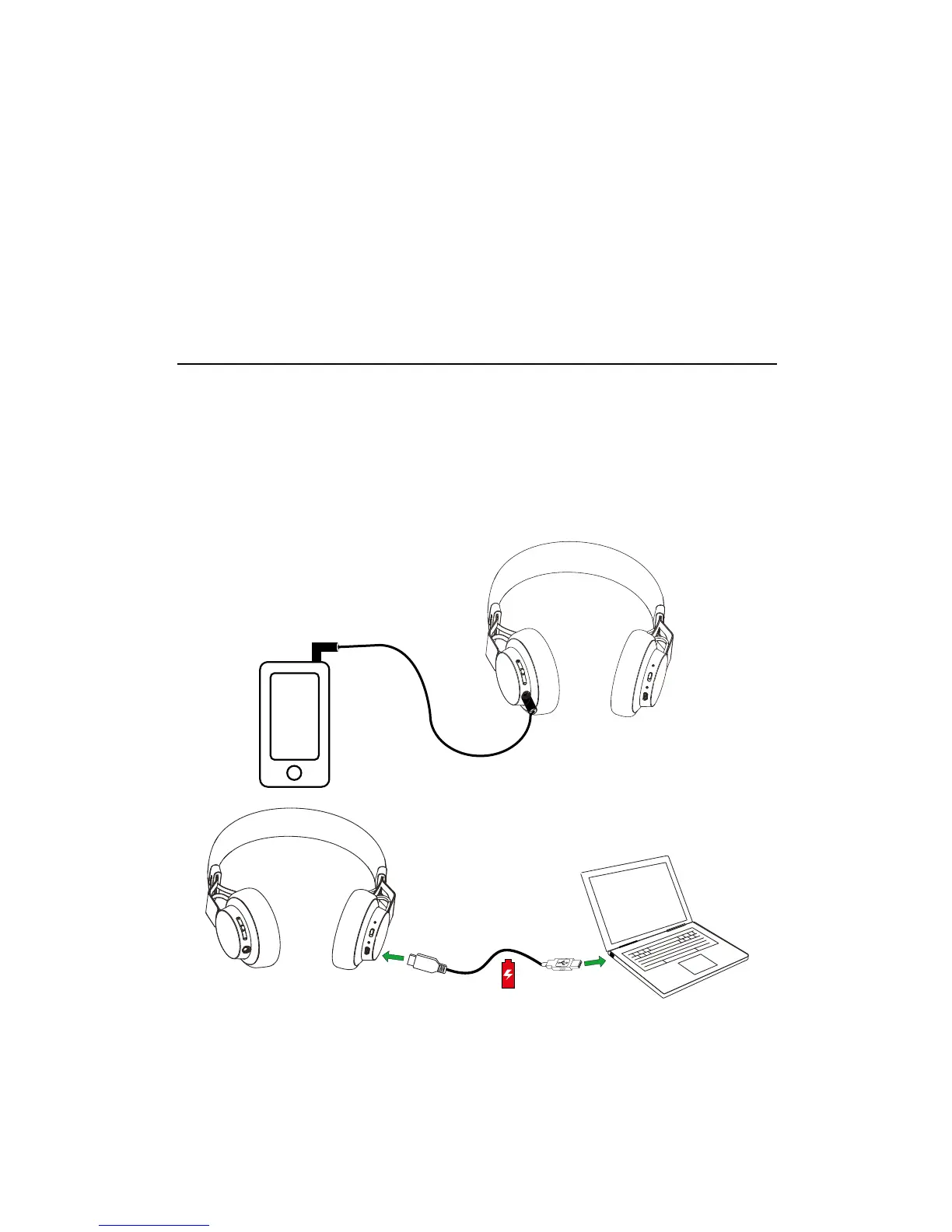
5.2 CONNECT TO 3.5 MM JACK CONNECTOR
Connect the headphones to a 3.5 mm jack
connector on your mobile device or PC using the
supplied audio cable.
NOTE: Bluetooth connections are disabled when
connected to the 3.5 mm Jack Connector.





 To Next Page