Need help?
Do you have a question about the Jabra Talk 35 and is the answer not in the manual?
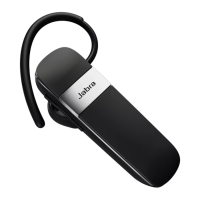
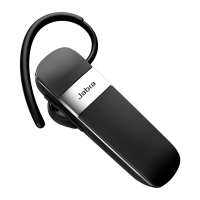
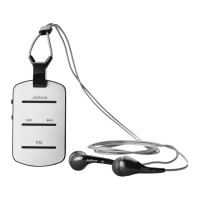
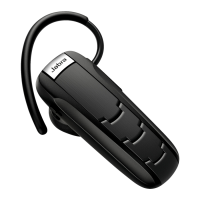
Details the components of the Jabra Talk 35 headset, including buttons, lights, and charging socket.
Lists technical specifications such as talk time, standby time, dimensions, weight, and Bluetooth capabilities.
Explains the voice announcements provided by the headset for status and operation.
Instructions on how to charge the headset using the supplied USB cable and how to identify charging status.
Describes the method for powering the headset on and off using the side switch.
Explains how to initiate pairing mode, either automatically or manually, for connecting to a phone.
Guide to enabling Bluetooth on the phone and searching for the headset.
Details on confirming the pairing with the phone, including passkey entry.
Instructions for performing basic operations like answering, ending, and rejecting calls.
Covers voice dialing, redialing, volume, mute, call waiting, and battery status indication.
Table explaining the meaning of different light patterns (blue, green, red, purple) and their relation to status or battery.
Provides guidelines for storing and maintaining the headset, including temperature and liquid exposure.
 General
| Impedance | 16 Ω |
|---|---|
| Driver type | Dynamic |
| Driver unit | 9 mm |
| Ear coupling | Intraaural |
| Headphone frequency | 300 - 4000 Hz |
| Maximum input power | 20 mW |
| Headphone sensitivity | 89 dB |
| Microphone type | Boom |
| Microphone frequency | 100 - 8000 Hz |
| Number of microphones | 2 |
| Microphone sensitivity | -44 dB |
| Microphone direction type | Omnidirectional |
| Cables included | USB |
| Eartips material | Silicone |
| Standby time | 216 h |
| Battery recharge time | 2 h |
| Headset type | Monaural |
| Product type | Headset |
| Certification | CE, CB, FCC, IC, CEC, EAC, REACH, SRRC, IMDA, NCC, TELEC, KCC, ACMA, RADCOMM, ETA, SIRIM, SDPPI, NTC |
| Product color | Black, Silver |
| Wearing style | Ear-hook, In-ear |
| Operating keys | Volume +, Volume - |
| Volume control | Button |
| Recommended usage | Calls/Music |
| Storage temperature (T-T) | -20 - 50 °C |
| Operating temperature (T-T) | 0 - 45 °C |
| USB connector | Micro-USB |
| Wireless range | 10 m |
| 3.5 mm connector | No |
| Bluetooth version | 3.0 |
| Bluetooth profiles | HFP |
| Connectivity technology | Wireless |
| Sustainability certificates | RoHS |
| Voice guidance languages | DUT, ENG, FRE, DEU, ITA, JPN, POL, RUS, ESP |
 Weight and Dimensions
| Depth | 48.4 mm |
|---|---|
| Width | 2.48 mm |
| Weight | 10.1 g |

 To Next Page