
 Need help?
Do you have a question about the Jabra UC VOICE 250 and is the answer not in the manual?
Visual guide on connecting, wearing, and positioning the headset for optimal use.
 General
| Headset type | Monaural |
|---|---|
| Product type | Headset |
| Product color | Black |
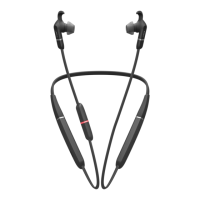
| Wearing style | Neck-band, In-ear |
| Recommended usage | Office/Call center |
| Hearing protection technologies | Jabra PeakStop |
| Impedance | - Ω |
| Magnet type | - |
| Ear coupling | Intraaural |
| Headphone frequency | - Hz |
| Travel pouch | Yes |
| Compatible operating systems | Windows XP Windows Vista (32-bit, 64-bit) Windows 7 (32-bit, 64-bit) |
| Connectivity technology | Wired |
| Microphone type | Boom |
| Eartips material | Silicone |






 To Next Page