11
US
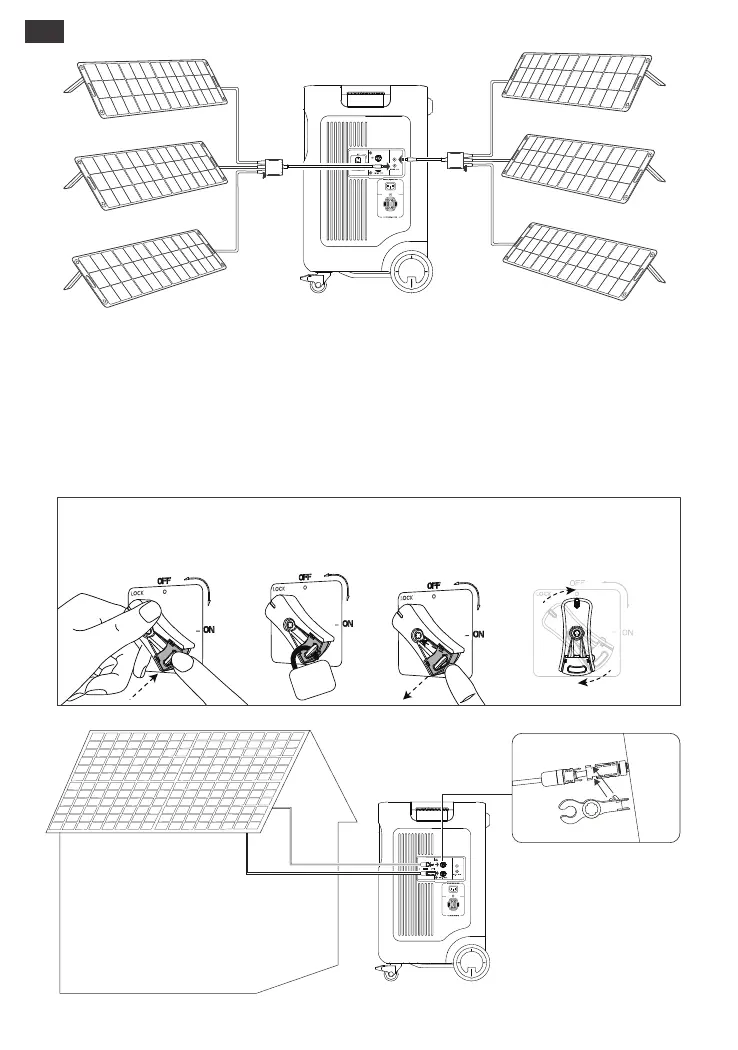
Connect to High-PV input port
High-PV input voltage range: 135V < total solar input < 450V
*Keep the high-PV switch off before connecting the high-PV input or during maintenance.
*Before utilizing the High-PV input ports, please ensure that the PV switch is turned on.
*Ensure the high-PV switch is in the 'OFF' or 'LOCK' position before using the provided MC4 wrench to
disassemble the MC4 connectors.
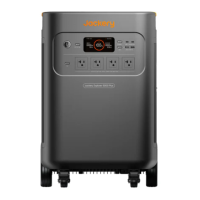
Jackery Explorer 5000 Plus SolarSaga 200 × 3SolarSaga 200 × 3
Disassemble MC4
connectors with
the provided MC4 wrench.
Lock
Turn the high-PV switch to the 'LOCK' position and
press the locking mechanism.
Unlock
Release the locking mechanism and the switch
returns to the 'OFF' position.







 To Next Page