24
See FAQ at support.jadens.com
Note:
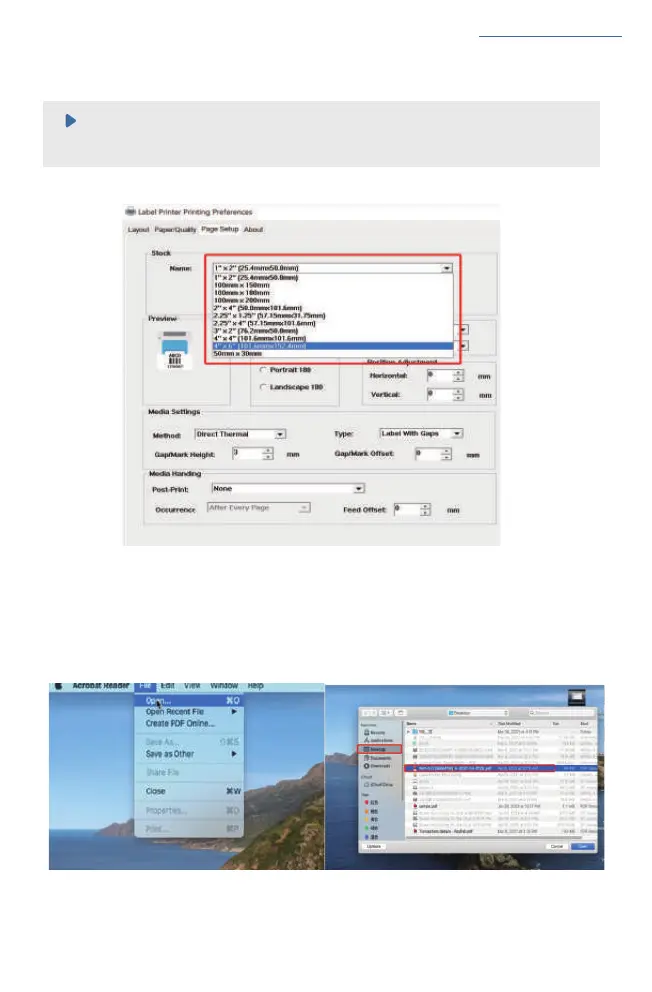
Please make sure the page size match to the loaded label size. Otherwise, it is possible that
it prints out over label or misaligned.
c. Click 'Print' , set up the page size same as the labels you load. Then print.
(2)For MAC
a. Find the 'File' in the top left comer of you desktop > Click 'Open'> Click Desktop > Choose PDF file
(or you can open the file with Adobe)
Ⅴ


 To Next Page