25
See FAQ at support.jadens.com
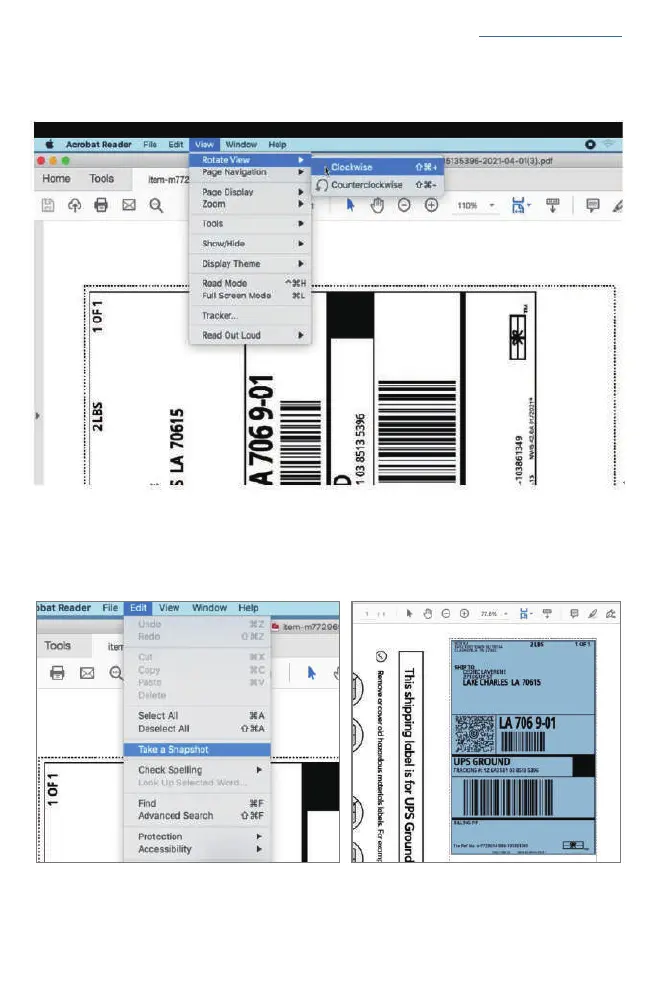
b. From the top panel, select View > Rotate View> Clockwise so that the labels are side by side.
(If the labels has laid vertically. please skip this step)
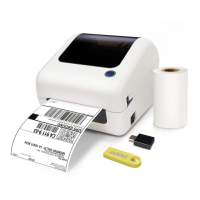
c. Next, from the top panel, select Edit>Take a Snapshot. Then click and drag over one of the labels
that you need, so that you can print a specific range of label.


 To Next Page