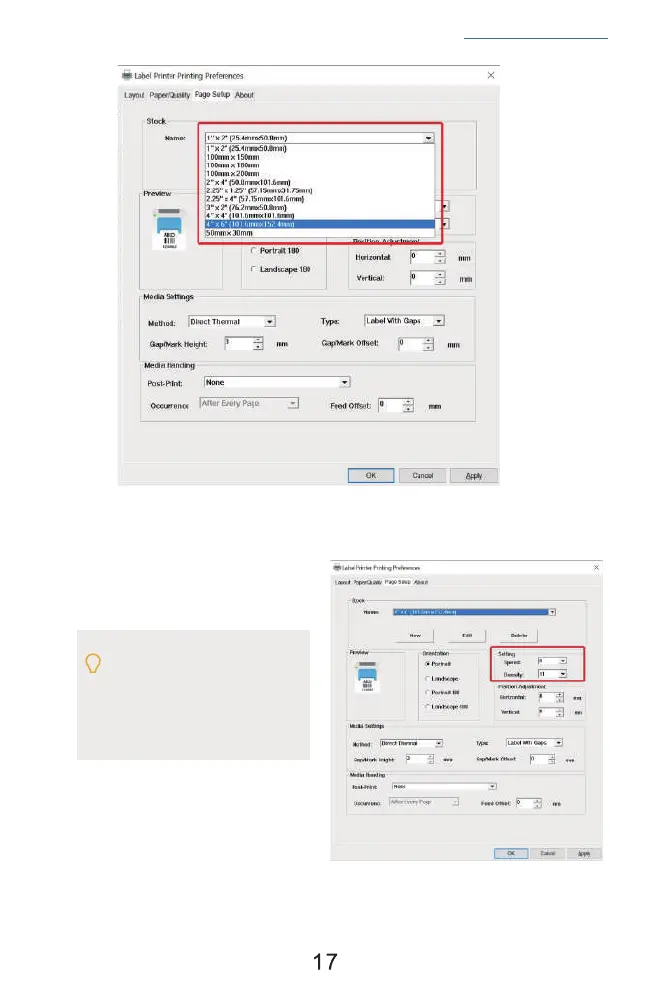
b. In the 'Page Quality', you can change
the printing speed and printing
darkness.
Especially for density. If the labels
print out light or not clear, you can
change the density. For Windows
system please set the density at
8-12. For Mac system please set the
density at 2-5.
See FAQ at support.jadens.com


 To Next Page