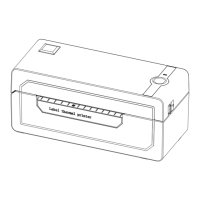
The printer head is a sensitive part of the printer and can be found on the upper part of the printer
when open.
Caution: While the printer is running, the printer head can be very hot.
1. Ensure that the power switch is OFF, remove the power cord,and open the cover .
wait several moments to ensure that the printerhead cools down.
2. Completely clean the printer head using an alcohol swab. Any 70%
lsopropyl Alcohol pad would work. Please do not use water.
3. Wait 2-3 minutes until the alcohol has completely dried, then close the cover.
4.Connect the power cord and print a test page to check if it is clean.
17. Maintenance
CLEANING THE PRINT HEAD
16. Safety tips
- The printer head can become very hot after printing labels.Do not touch the printer head until
it has cooled.
- Do not bend the power cord excessively or place objects on the cord.
This could result in fire.
- Keep the printer out of reach of children.
- Use only approved accessories and do not try to disassemble or repair the unit by yourself.
- Keep the printer away from water and other objects that may destroy or damage the device.
- Printer should remain unplugged when not in use for long periods of time.
33
See FAQ at support.jadens.com


 To Next Page