28
BRIZA JDPC.001 Dynamic Product Controller: Table 1
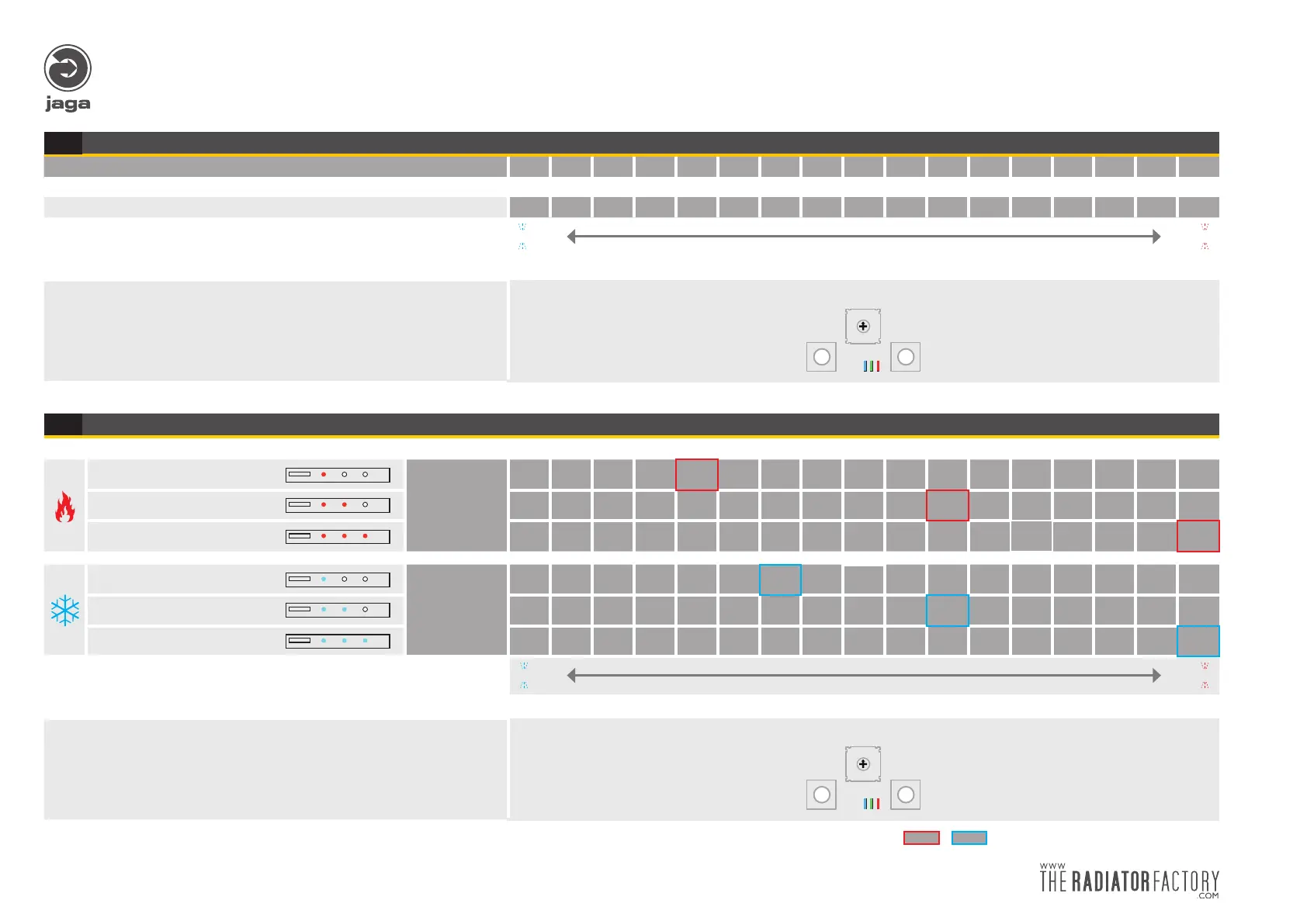
Adjusting Fan speed
SPEED %:
20 25 30 35 40 45 50 55 60 65 70 75 80 85 90 95 100
only for Mode 1-2-7-C > 20 25 30 35 40 45 50 55 60 65 70 75 80 85 90 95 100
I
- +
I
(MIN) The blue LED blinks fast The red LED blinks fast (MAX)
Adjusting the Fan speed:
• short press “-” or “+” to adjust the speed of the motor(s).
• after the adjustment of the speed, the fans will run for 30” in order to control,
irrespective of the water temperature. The water-temperature sensor will not
respond during this time (position 2, 4, 6 or 7). Any modification will be automa-
tically stored in the internal (EE PROM) memory.
- +
- +
MODE
0
F
E
D
C
B
A
9
8
7
6
5
4
3
2
1
!! The JDPC controller returns back into normal mode after 30“ and will automatically save all modified settings !!
1A
With control panel: Adjusting Fan speed
Speed 1
Speed %:
20 25 30 35 40 45 50 55 60 65 70 75 80 85 90 95 100
Speed 2 20 25 30 35 40 45 50 55 60 65 70 75 80 85 90 95 100
Speed 3 20 25 30 35 40 45 50 55 60 65 70 75 80 85 90 95 100
Speed 1
Speed %:
20 25 30 35 40 45 50 55 60 65 70 75 80 85 90 95 100
Speed 2 20 25 30 35 40 45 50 55 60 65 70 75 80 85 90 95 100
Speed 3
20 25 30 35 40 45 50 55 60 65 70 75 80 85 90 95 100
I
- +
I
(MIN) The blue LED blinks fast The red LED blinks fast (MAX)
Adjusting the Fan speed:
• short press “-” or “+” to adjust the speed of the motor(s).
• after the adjustment of the speed, the fans will run for 30” in order to control,
irrespective of the water temperature. The water-temperature sensor will not
respond during this time (position 2, 4, 6 or 7). Any modification will be automa-
tically stored in the internal (EE PROM) memory.
- +
- +
MODE
0
F
E
D
C
B
A
9
8
7
6
5
4
3
2
1
!! The JDPC controller returns back into normal mode after 30“ and will automatically save all modified settings !!
Fan speed factory settings
1B


 To Next Page