29
BRIZA JDPC.001 Dynamic Product Controller: Table 2 / Table 3
default factory temperature setting
Setting the water temperature
2
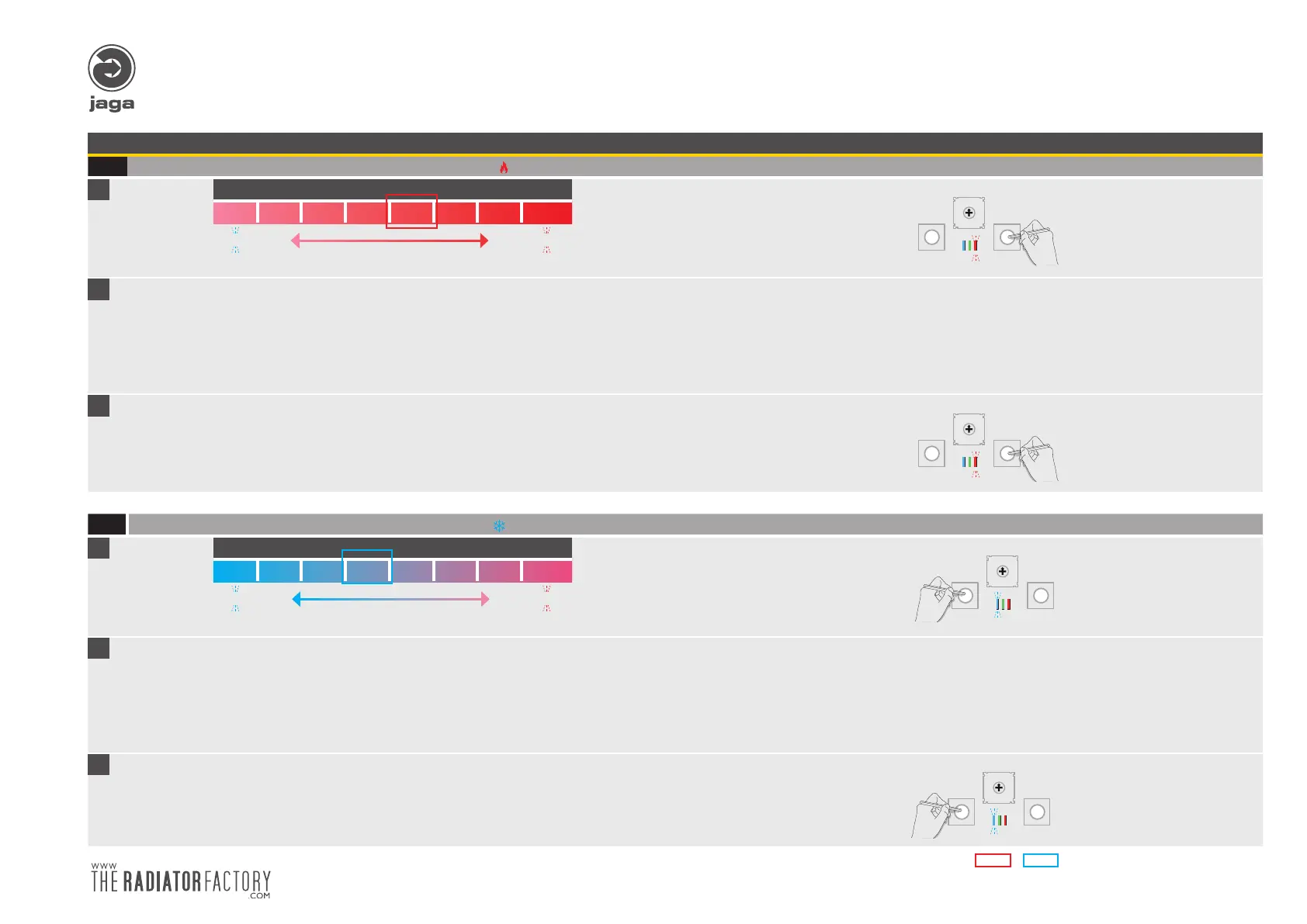
Setting the minimum water temperature heating (default => 32 ° C)
A
Setting temperature ° C
24°C 26°C 28°C 30°C 32°C 34°C 36°C 38°C
I
- 2°C
+ 2°C
I
Press and hold the (+) button until the red LED flashes 5 times.
5x
- +
MODE
0
F
E
D
C
B
A
9
8
7
6
5
4
3
2
1
B
Increasing temperature
Briefly press (+): the temperature increases by one step 2 ° C. If the maximum temperature is
reached, the red LED flashes rapidly.
Decrease temperature
Briefly press (-): the temperature decreases by one step 2 ° C. If the minimum temperature is
reached, the blue LED will flash rapidly..
After 30 ‘, the JDPC module returs to normal mode.
Automatic control:
The green LED lights when the water temperature exceeds the set temperature. This indicates that
the supply water is hot.
Each adjustment is stored in the internal (EE PROM) memory.
C
Exit setup mode by holding the “+” button until the red LED blinks 5x.
5x
- +
MODE
0
F
E
D
C
B
A
9
8
7
6
5
4
3
2
1
The JDPC controller returns back into normal mode after 30“ and will automatically save all modified settings !!
3
Setting the maximum temperature of cooling water (default = <18°C)
A
Setting temperature °C
12°C 14°C 16°C 18°C 20°C 22°C 24°C 26°C
I
- 2°C
+ 2°C
I
Press and hold the (+) button until the blue LED flashes 5 times.
5x
- +
MODE
0
F
E
D
C
B
A
9
8
7
6
5
4
3
2
1
B
Increasing temperature
Briefly press (+): the temperature increases by one step 2 ° C. If the maximum temperature
is reached, the red LED flashes rapidly.
Decrease temperature
Briefly press (-): the temperature decreases by one step 2 ° C. If the minimum temperature
is reached, the blue LED will flash rapidly..
After 30 ‘, the JDPC module returs to normal mode.
Automatic control:
The green LED lights when the water temperature is lower than the set temperature. This indicates
that the supply water temperature is colder.
Each adjustment is stored in the internal (EE PROM) memory.
C
Exit setup mode by holding the “+” button until the blue LED blinks 5x.
5x
- +
MODE
0
F
E
D
C
B
A
9
8
7
6
5
4
3
2
1
The JDPC controller returns back into normal mode after 30“ and will automatically save all modified settings !!
5x


 To Next Page