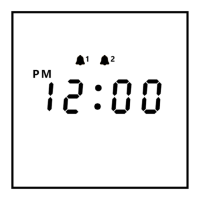
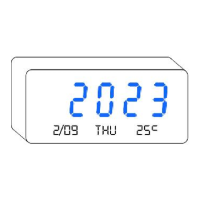
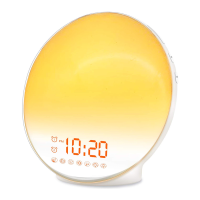
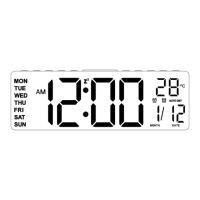
The V1021 Alarm Clock is a digital alarm clock designed for ease of use and functionality, featuring a clear display and multiple settings for time, alarms, and environmental conditions.
Function Description:
The V1021 Alarm Clock primarily functions as a time-telling device with integrated alarm capabilities. It displays the current time in either 12-hour (AM/PM indicator) or 24-hour format, along with the month, date, day of the week, and temperature. The clock includes two independent alarms (AL1 and AL2) that can be set for daily, workday, or weekend operation, offering 8 distinct alarm tones. Brightness and alarm volume are adjustable to suit user preferences. A snooze function provides an additional 9 minutes of sleep, automatically shutting off after four consecutive uses. The device also features two USB output ports on the back, allowing it to charge Android or Apple smartphones simultaneously.
Important Technical Specifications:
- Input Voltage: AC110V-240V, 50/60HZ
- Output Voltage: DC5V / 1500MA-2000MA (for USB charging ports)
- Power Adapter: 5V 2A
- Battery: CR2032 (for memory settings only, not for powering the clock)
- Temperature Unit: Switchable between Celsius (°C) and Fahrenheit (°F)
- Time Format: Switchable between 12H and 24H
- Alarm Tones: 8 selectable tones (51-58)
- Alarm Volume Levels: 6 levels (V1-V6, ranging from 5% to 100%)
- Brightness Levels: 6 levels (L1-L6, ranging from 5% to 100%)
- Snooze Duration: 9 minutes
Usage Features:
- Time Setting:
- Hold the "TIME" button for 3 seconds to enter the Time Setting Menu.
- Use the scroll wheel ("+ -" buttons) to adjust the year, month, date, and time.
- Press "TIME" to confirm each setting. The day of the week will match automatically.
- Alarm Setting (AL1/AL2):
- Hold the "AL1" (or "AL2") button for 3 seconds to enter Alarm Setting.
- Use the scroll wheel to adjust the alarm ring time.
- Press "AL1" (or "AL2") to confirm.
- Adjust the alarm mode (1-7 Daily, 1-5 Workday, 6-7 Weekend) using the scroll wheel.
- Select one of the 8 alarm tones (51-58) using the scroll wheel.
- Press "AL1" (or "AL2") to finish. The alarm will automatically be turned on by default, indicated by the "AL 1" (or "AL 2") icon.
- Volume Adjustment:
- Press the "Volume" button to adjust the alarm volume.
- The scroll wheel can also be used to fine-tune the volume.
- There are 6 volume levels, from 5% to 100%.
- Brightness Adjustment:
- Press the "Brightness" button or turn the scroll wheel to adjust display brightness.
- There are 6 brightness levels, from 5% to 100%.
- Temperature Unit Switch:
- Press the "°C/°F" button to switch the temperature unit between Celsius and Fahrenheit.
- Time Format Switch:
- Press the "12/24H" button to change the display mode between 12-hour and 24-hour format.
- Snooze Function:
- When the alarm sounds, press "SNOOZE" on the top of the clock for an additional 9 minutes of sleep. The alarm indicator light will flash.
- To turn off snooze, press any button on the back twice. The alarm will sound again the next day.
- USB Charging Ports:
- Two 5V 2A USB output ports are available on the back for charging external devices.
Maintenance Features:
- Power Connection: The clock requires a constant power connection via the included USB Type C cable and 5V 2A power adapter.
- CR2032 Battery: The CR2032 battery is for memory settings only, ensuring the clock retains its settings (time, alarms) during a power outage. It does not power the clock independently. If the clock fails to restore the correct time after a power outage, the CR2032 battery may need replacement.
- Reset Function: A "Reset" button (accessible with a needle or small stick) is provided to reset the alarm clock to its factory settings.
- Temperature Sensor: The temperature sensor is pre-set inside the clock. Minor temperature differences (1-2 degrees) are normal due to internal electronic heat. If the difference exceeds 5 degrees, contact customer support for a replacement. The temperature cannot be manually reset.
- Anti-Slip Bumpers: The clock comes with rubber bumper feet that can be stuck to the bottom of the device to prevent sliding.
- Lifetime Warranty: The product includes a lifetime warranty service, which can be activated by visiting www.jall-us.com.
- Customer Support: For missing power accessories, instructions, or other issues, contact customer support via Amazon or email at ThreeDucksDirect@outlook.com for a new replacement.

 Need help?
 General

 To Next Page